
The new Smrt app for students, teachers and school admins
The Smrt app has been rebuilt from the ground up. Version 2.0 arrives on October 16 as a free update to the app students and teachers already have, with the same accounts, classes and scores as the website. Students and teachers sign in with their school's Google or Microsoft account.
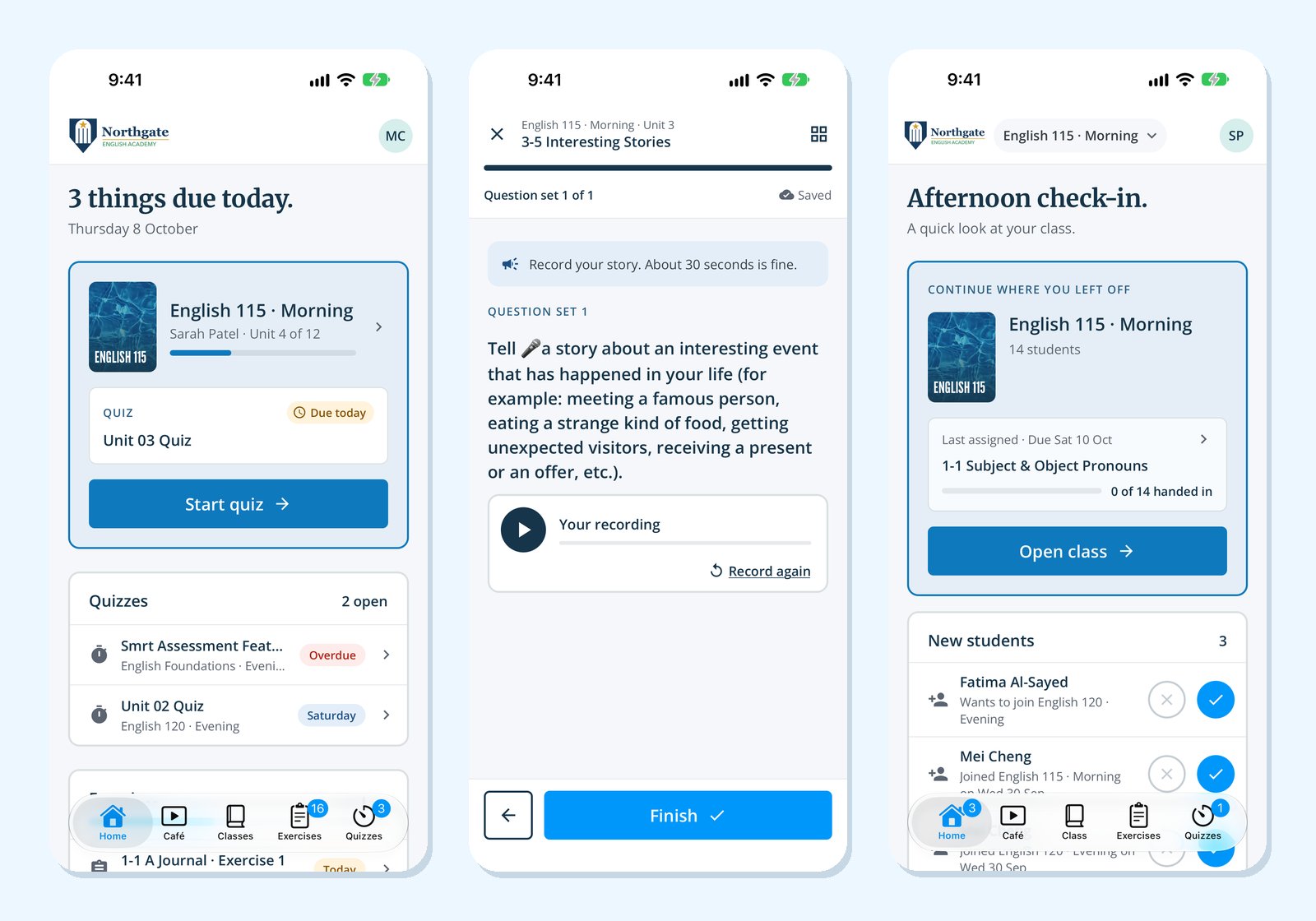
For students
- Home: what is due today, the next quiz and the class's progress, on one screen.
- Works offline: lessons and exercises stay on the phone. Work done with no connection is sent when the phone is back online.
- Speaking: students record their answer, play it back, record again if they want and hand it in.
- Quizzes: start, pause and pick up again; answers are saved as students go.
- Reminders: new work, a reminder the evening before it is due, and feedback from the teacher. Nothing arrives at night.
- Smrt Café: our short English videos, in the app.
For teachers
- Home: the last work you assigned and who handed it in, new students, and the next lessons to assign, one tap each.
- Review: mark writing and speaking answers one student at a time, with a comment for each.
- Quizzes: give a quiz, follow submissions and release the answers when it closes.
- Join with a QR code: show the class code on the board and students join straight away.
For school admins
- The school's week at a glance: active classes, teachers who are assigning work, and what needs attention.
- Classes, teachers and students: find anyone and see their work from a phone.
- Your logo: the app shows your school's logo at the top, in light and dark mode.
Get the app
Search for Smrt English on the App Store or Google Play, or update the app you already have. The app guide in our Help Centre walks through every screen.


