
For school leaders · Smrt Dashboard
Reporting and administration for academic leaders
Smrt Dashboard gives directors of studies and academic coordinators a view of every class, teacher and student in their program. Placement, rosters, reports, billing and certificates share one login and one student record with Smrt Classroom and Smrt Study.

Dashboard and reports
Reports on attendance, courses, assessments and purchases
The dashboard shows the students, teachers and classes in your program, and you can look up any student’s record. Reports cover attendance, courses, assessments and purchases, and export as spreadsheets for your academic office.
- checkAttendance, courses, assessments, purchases
- checkReports export as spreadsheets
- checkLook up any student

Smrt app
Your school’s week in the app
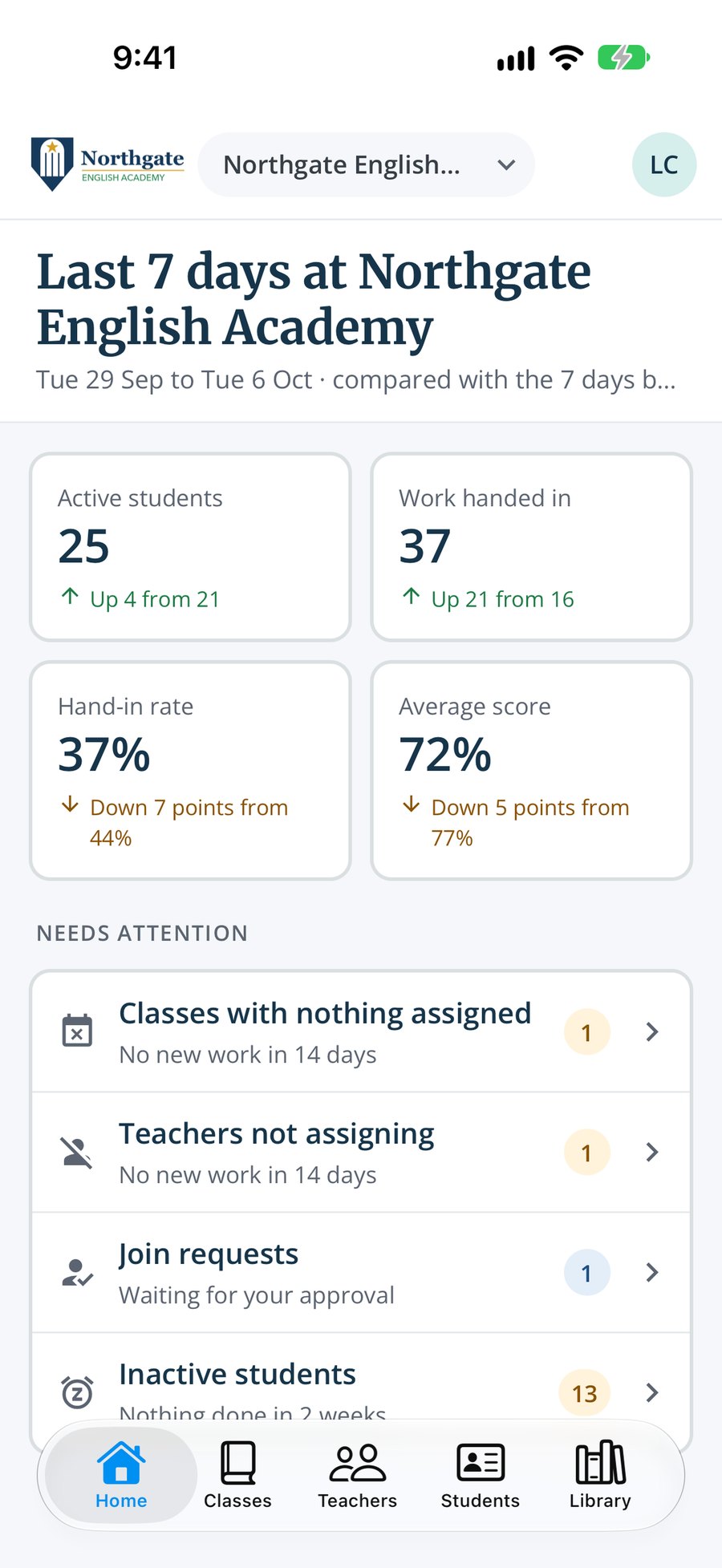
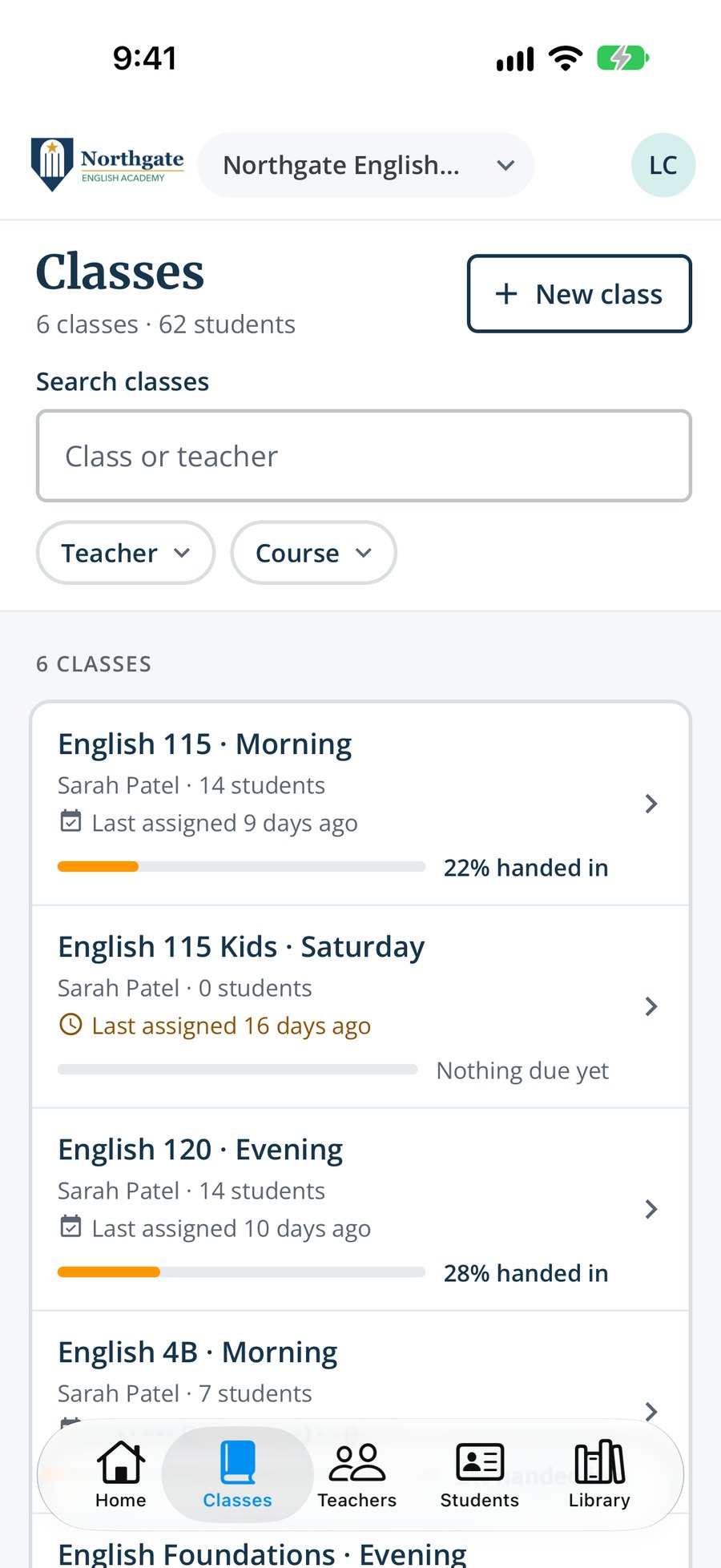
School admins see the last 7 days next to the 7 before: active students, work handed in, the hand-in rate and the average score, with the classes, teachers and students that need attention. They can also create classes, invite teachers and students and move students between classes from the app.
- checkThis week compared with last week
- checkClasses with nothing assigned, teachers not assigning and join requests waiting
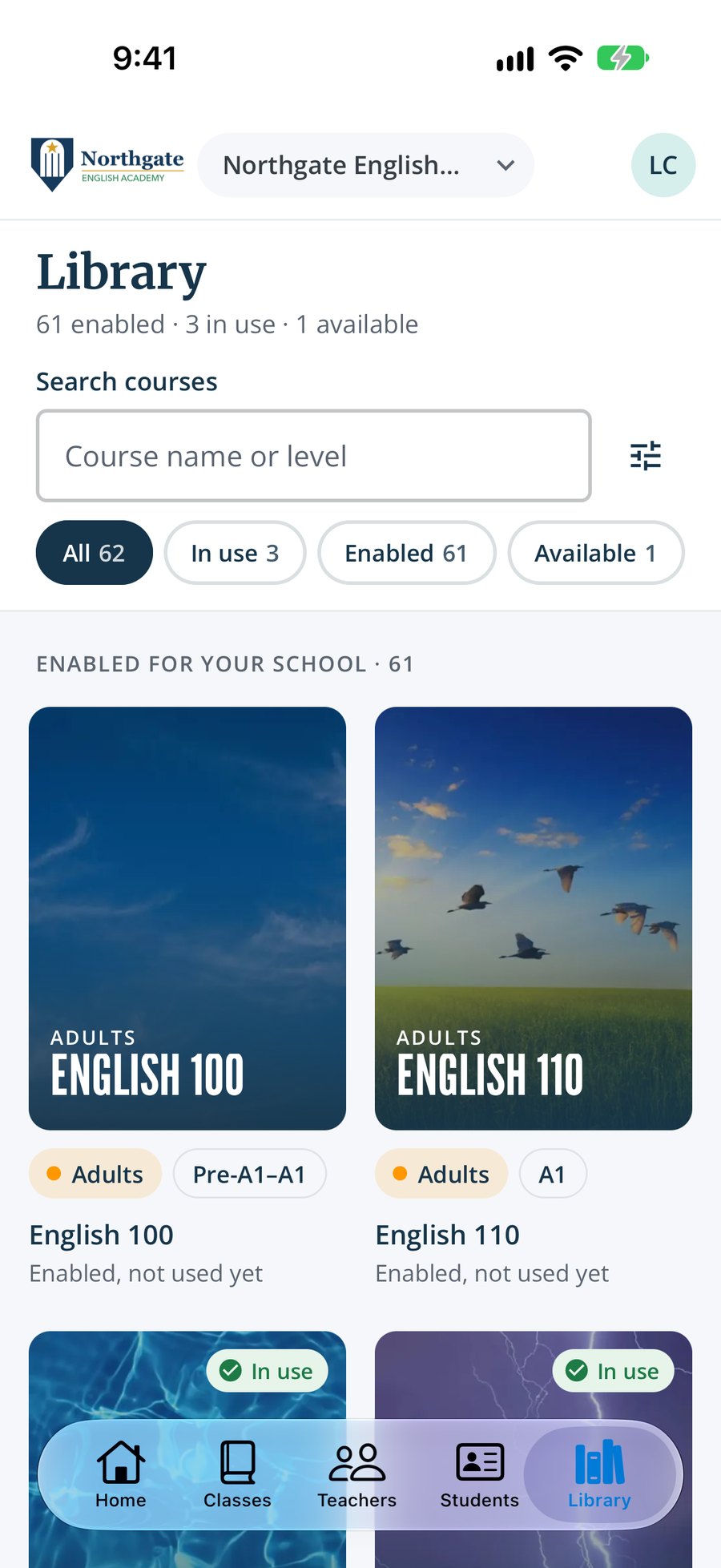
- checkClasses, teachers and students managed from the phone
- checkA summary every Monday morning of what needs attention
People and classes
Classes and rosters, set up once for every teacher
Your academic team creates classes, assigns teachers and enrols students in Smrt Dashboard. The same rosters appear in Smrt Classroom, so each teacher starts the term with the class list already in place.
- checkCreate classes and assign teachers
- checkRosters shared with Smrt Classroom

Placement Tests
Placement tests for each new intake
New students take a placement test online before term starts, and the results show which level each student should join. Use the Smrt English placement test, mapped to Smrt English levels, or a custom test built around your own levels and courses.
- checkPlacement tests for new intakes
- checkCustom placement tests for your program
- checkResults ready in Smrt Dashboard

Standard assessments
Standard assessments across your classes
Set a standard assessment so every class at a level sits the same test. The adult courses combine formative tests on each week’s grammar, vocabulary and functions with summative tests that help decide whether a student should change level. Results go to the gradebook.
- checkSame test across classes
- checkMarked in Smrt Classroom
- checkResults in the gradebook

Custom Curriculum
Courses built to your own syllabus
For larger programs, as part of a wider partnership. Our curriculum team works with you to build complete courses to your syllabus and level: lessons, practice, quizzes, audio and images, ready to teach inside Smrt.
- checkBuilt to your syllabus and level
- checkComplete units: lessons, practice, quizzes, audio and images
- checkLevels and outcomes mapped to CEFR
- checkReady to teach inside Smrt, beside our 60+ courses
- checkReviewed by experienced English teachers
Certificates
Certificates in your school’s name
Certificates carry your school’s name and logo. They come as ready-to-print files, so you can print and present them on your own paper.
- checkYour logo and school name
- checkReady-to-print files, so you hand them out on your own paper

Billing
Three ways to give students access
Choose whether the school pays, students pay, or students begin with a free trial. Purchases appear in the reports alongside attendance, courses and assessments.
- checkSchool pays
- checkStudent pays
- checkFree trial

Admin features
Your brand and systems, set up with your team
Your support contact sets up rosters, placement and reports with you. The platform carries your logo, uses the sign-in your staff already have and keeps your school’s data separate.
Your logo
Your logo on the platform and on certificates.
Google or Microsoft sign-in
Staff and students sign in with the accounts they already have.
API
A read-only API returns student and class records to your systems.
Data kept separate
Each school’s data is kept separate from every other school.
Admin onboarding
Rosters, placement and reports set up with your support contact.
Training from Canadian teachers
Qualified Canadian teachers train your staff to teach with Smrt English.
Questions
What school leaders ask us
Common questions from directors of studies and academic coordinators about reporting, data and setup.
Anything else? Contact us.
How do I see what’s happening in every class without asking every teacher?
Smrt Dashboard shows every class, teacher and student in your program, with reports on attendance, courses and assessments that you can run yourself at any time.
Do you support single sign-on?
Yes, with Google or Microsoft, whichever your school uses. Staff and students sign in with the accounts they already have.
Can we bill students directly?
Yes. Choose school pays, student pays or a free trial.
Can we see every class?
Yes. Smrt Dashboard shows every student, teacher and class, with reports on attendance, courses, assessments and purchases.
Can we use our own placement test?
Yes. A custom placement test can be built around your own levels and courses.
Do certificates carry our logo?
Yes. Certificates carry your school’s name and logo.
Can we export our records?
Yes. Reports export as spreadsheets and a read-only API returns student and class records.
Near you
A Canadian company, with a team in Mexico.
Smrt Idiomas Mexico works with schools and universities from Sonora to Quintana Roo, in Spanish, on your term dates.

Near you
A Canadian company, with a team in Brazil.
Smrt Idiomas Brazil supports schools, universities and city programs across the country, in Portuguese.

Talk to us
A Canadian company, based in Vancouver
Our head office is in Vancouver: the curriculum team, teacher training and support all work from here.
