
For teachers · Smrt Classroom
The tools to plan, teach and mark an English class
Smrt Classroom connects the Smrt English courses to the everyday work of a class: assigning lessons and practice, marking, the gradebook and attendance. Lessons are ready to teach, and practice with set answers is marked automatically.

A teacher’s week
Each stage of the teaching week, in the same class
You choose lessons, share work, teach, mark and follow up without leaving the class. Scores and attendance from each stage are already recorded when you need them for reports.
Plan
Pick lessons from the course, or add your own exercises.
Share
Send lessons and assignments to your class.
Teach
Run the lesson on the classroom display.
Mark
Exercises with set answers are marked automatically; you mark speaking and writing.
Follow up
Attendance and grades are already recorded, ready for reports.
Our approach
A communicative curriculum, grounded in research
Smrt English courses follow communicative language teaching. In every unit, students use English with a partner or a small group, teachers scaffold each step, and lessons draw on authentic listening and reading. Every level develops the same four competences.
Linguistic competence
Vocabulary, pronunciation and grammar: the words and rules students need to form accurate sentences.
Textual competence
Managing longer speech and writing, with cohesion, discourse markers and conversational turns.
Sociocultural competence
Using English appropriately: politeness, register and the norms of different situations.
Functional competence
Using language to get things done, such as requesting, offering and inviting.
Classes and rosters
Class rosters shared with your school’s dashboard
Open a class with a join code, add a co-teacher and see every student enrolled in it. Rosters are shared with Smrt Dashboard, and each student’s progress opens from the class list.
- checkJoin codes and co-teachers
- checkRosters shared with Smrt Dashboard
- checkStudent progress from the class list

Gradebook and marking
One gradebook for practice, quizzes, exams and paper tests
Practice, assignments, quizzes and exams sit in one grid, and scores from paper tests are entered beside the automatic ones. You mark speaking and writing in the same place and export the results for reports.
- checkPaper scores next to automatic ones
- checkSpeaking and writing marked by you
- checkExport for reports

Attendance
Attendance at the start of class
Students who are signed in start as present, and you mark anyone who is late, absent or excused. Records can be searched by date and exported as a PDF, and they feed the attendance reports in Smrt Dashboard.
- checkTaken from the class list
- checkStudents see their own attendance
- checkAttendance reports in Smrt Dashboard

Smrt app
Your classes on your phone
The Smrt app opens on the class you are teaching: how many students have handed in the latest work, new students, answers waiting for review and the next lessons to assign. Lessons, exercise previews and assigning also work offline, and work assigned offline is sent when the phone reconnects.
- checkAssign the next lesson, with a due date and a note
- checkMark open answers and listen to recordings, student by student
- checkGive quizzes, see who has submitted and release the answers
- checkA QR code on your phone for students to join the class


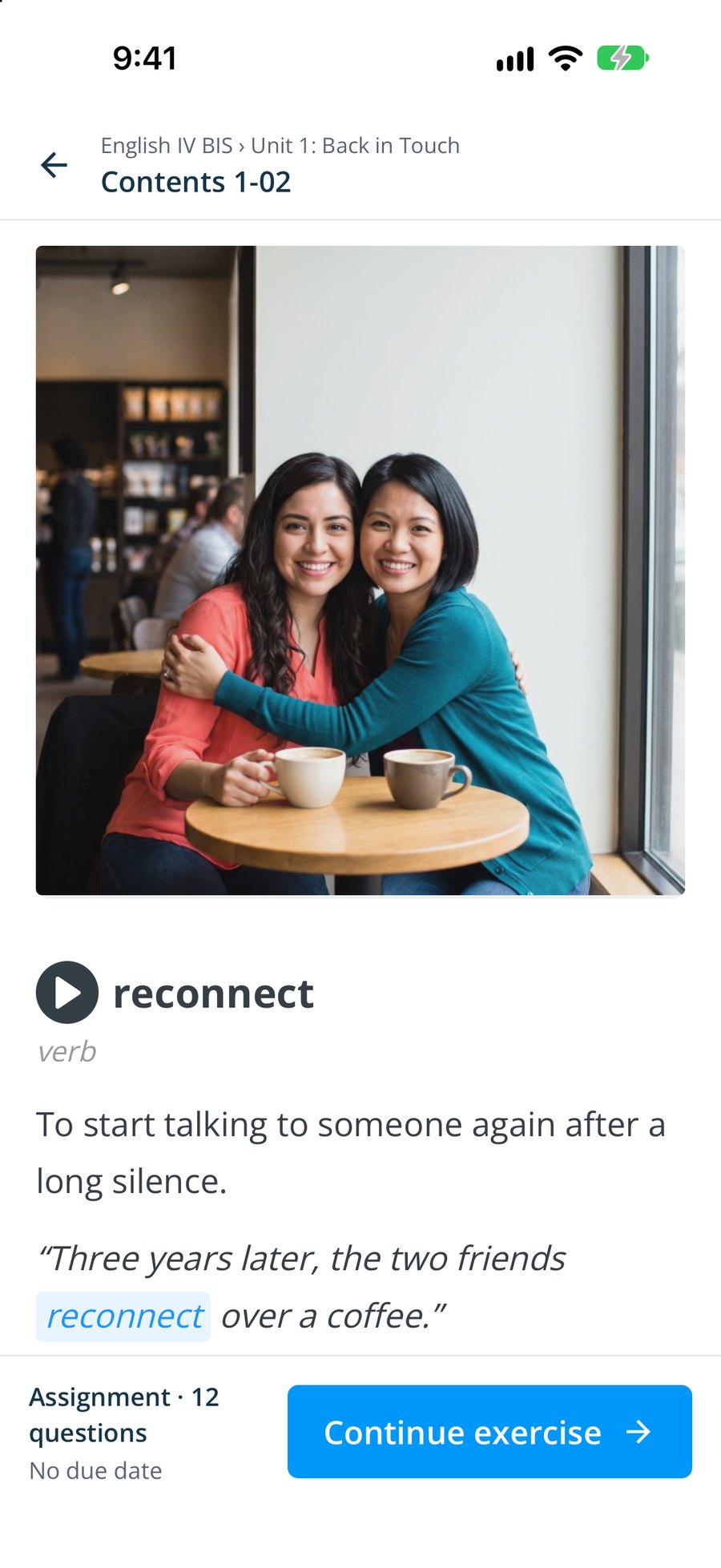
Your own material
Your own exercises alongside the Smrt English courses
Build your own exercises and quizzes in Smrt Classroom and use them in the same class as the Smrt English courses. Their scores go to the same gradebook as everything else.
- checkExercises and quizzes you write yourself
- checkUsed alongside the Smrt English courses
- checkScores in the same gradebook

Teacher features
The tools you use every day
These are the parts of Smrt Classroom teachers use in a normal week, along with free professional development on the platform.
Classes and co-teachers
Rosters, join codes and co-teachers for every class.
Practice that is marked automatically
Exercises with set answers are marked as soon as students submit them. You mark speaking and writing, and see results by assignment and by student.
A gradebook that takes paper scores too
Practice, assignments, quizzes and paper test scores in one gradebook.
Attendance
Present, late, absent or excused, searchable by date and included in the reports.
Speaking to mark
Students record their answers, and you listen and mark them.
Free professional development
Professional development courses for teachers, free on the platform.
Questions
What teachers ask us
Common questions from teachers about marking, their own materials and sharing a class.
Anything else? Contact us.
How much marking will this take off my plate?
Practice and quizzes with set answers are marked as soon as students submit them, and paper test scores go in the same gradebook, so you only mark the speaking and writing that need you.
Can I use my own materials?
Yes. Build your own exercises and quizzes in Smrt Classroom and use them in the same class as the Smrt English courses.
What do students need?
A login and any current browser, or the Smrt app on iOS or Android.
Can two teachers share a class?
Yes. Add a co-teacher and both see the roster, assignments and gradebook.
How does marking work for speaking and writing?
Students record or write; you listen or read and grade in the gradebook. Questions with set answers are marked automatically.
Is training included?
Yes. Qualified Canadian teachers train your staff, and professional development courses are free on the platform.
Near you
A Canadian company, with a team in Mexico.
Smrt Idiomas Mexico works with schools and universities from Sonora to Quintana Roo, in Spanish, on your term dates.

Near you
A Canadian company, with a team in Brazil.
Smrt Idiomas Brazil supports schools, universities and city programs across the country, in Portuguese.

Talk to us
A Canadian company, based in Vancouver
Our head office is in Vancouver: the curriculum team, teacher training and support all work from here.
