
Lessons and courses
Use the lesson menu
Jump to another lesson in the unit, or open the exercises, answers and transcripts.
In a lesson, click the Menu button at the top right.
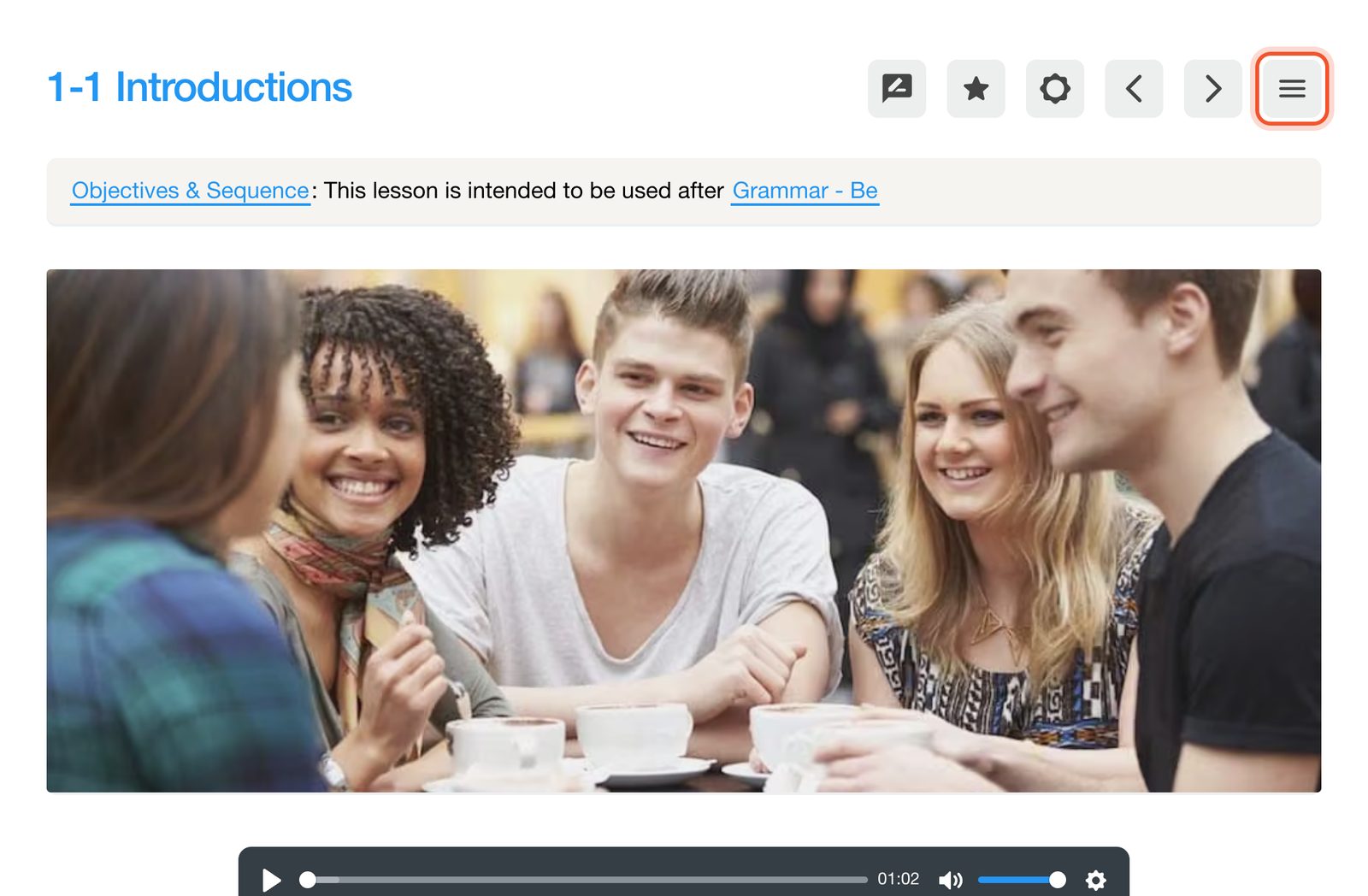
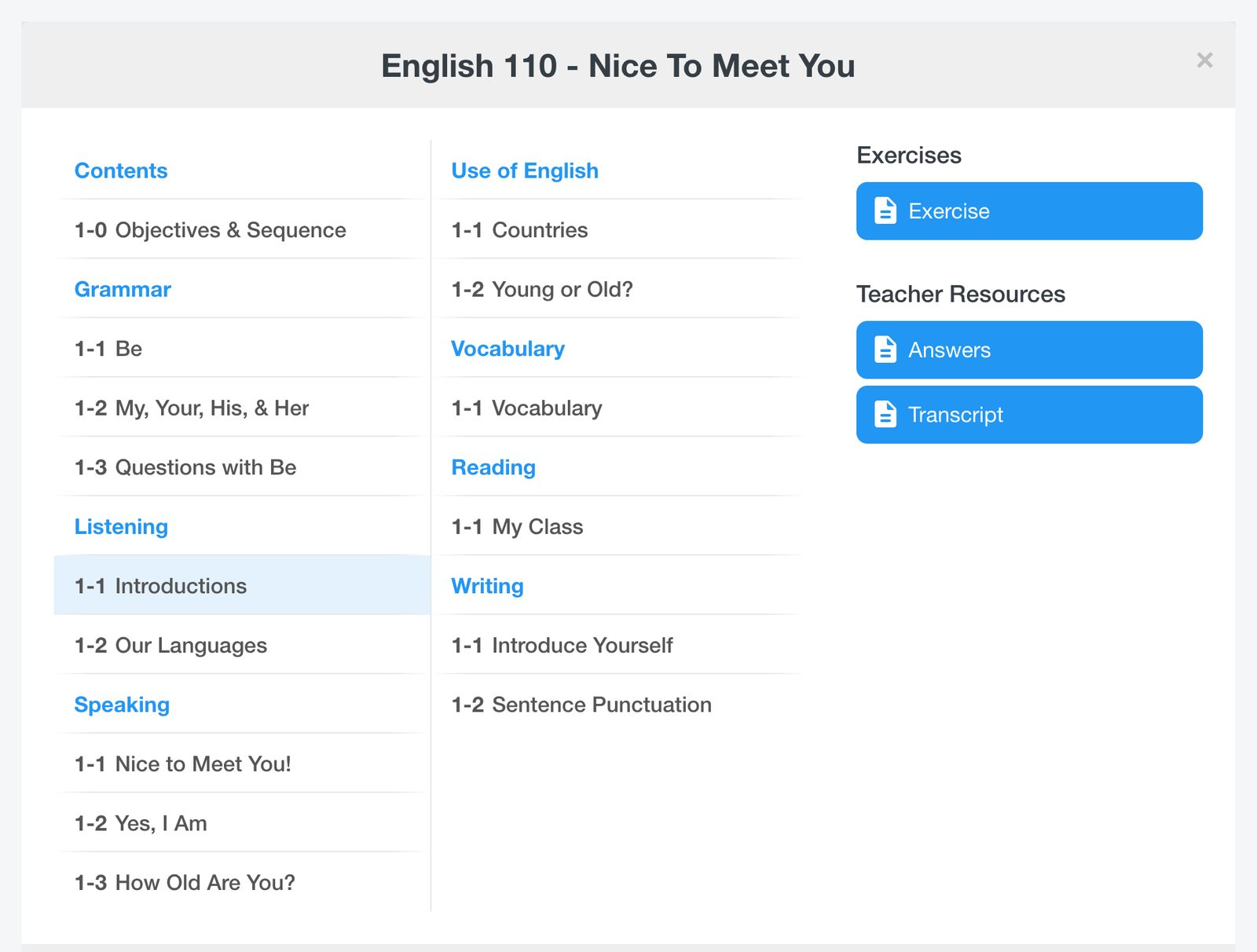
The menu lists every lesson in the unit, grouped by skill. On the right are the lesson's Exercises and, for teachers, Teacher Resources such as the answers and transcript.
Use the arrow buttons beside the menu to move to the previous or next lesson.


