Mark who is in class today, submit it, and look up or correct attendance for earlier dates.
personFor teachersformat_list_numbered6 stepsupdateUpdated 23 September 2026
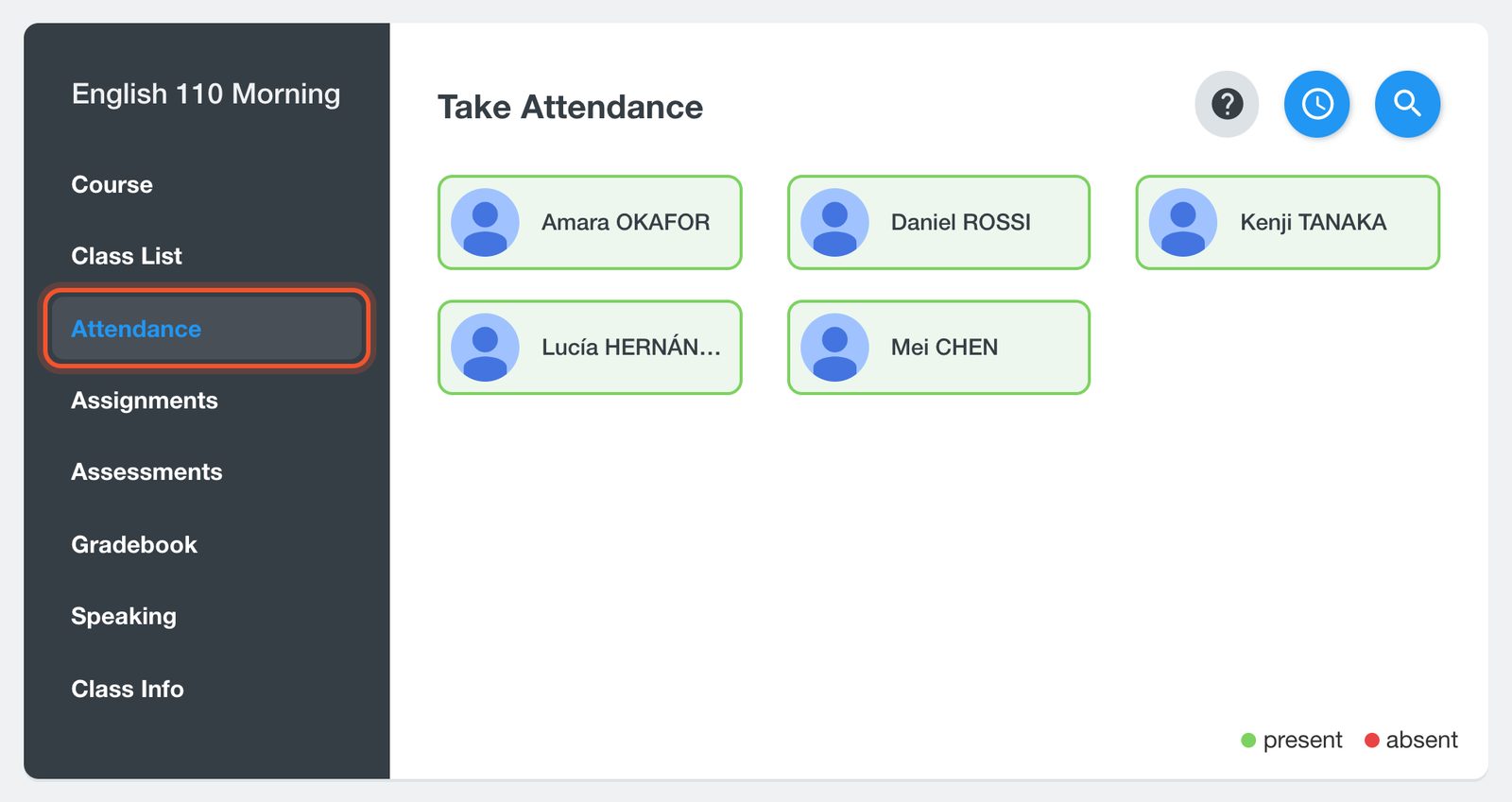
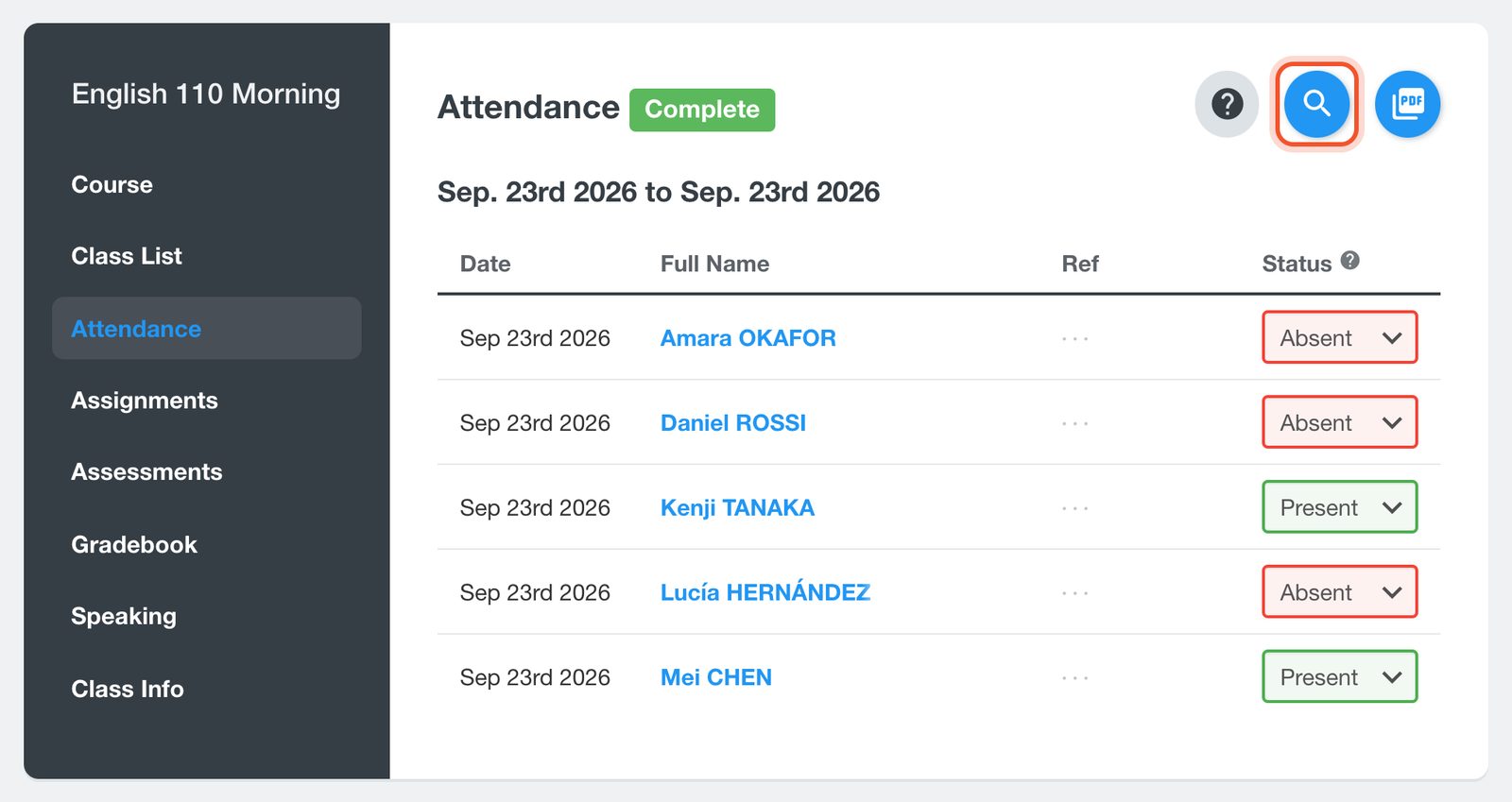
Open your class and click Attendance. Students who are signed in to Smrt English right now start as present, in green; everyone else starts as absent.
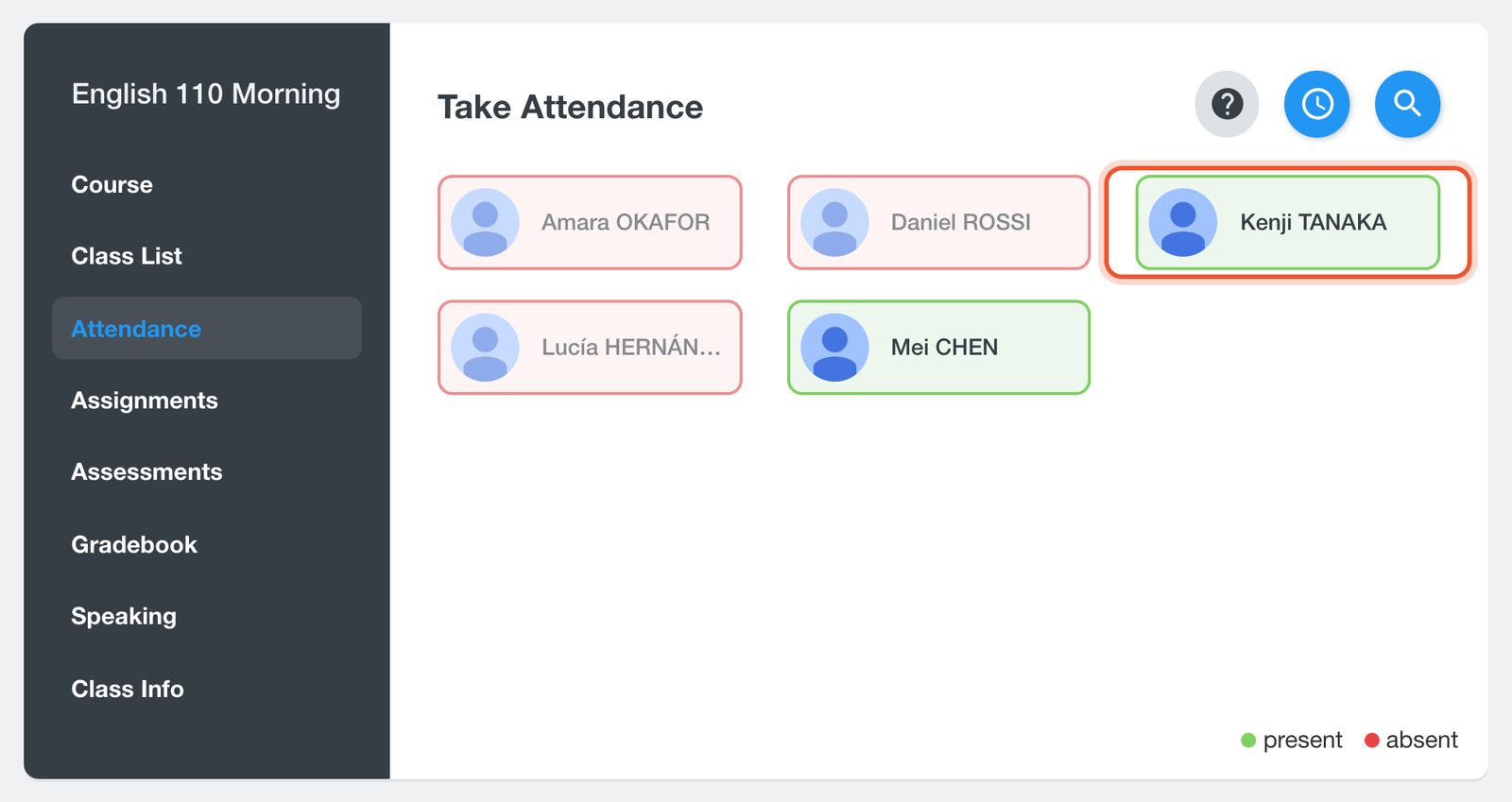
Click a student to mark them present. Present students turn green; click again to mark them absent.
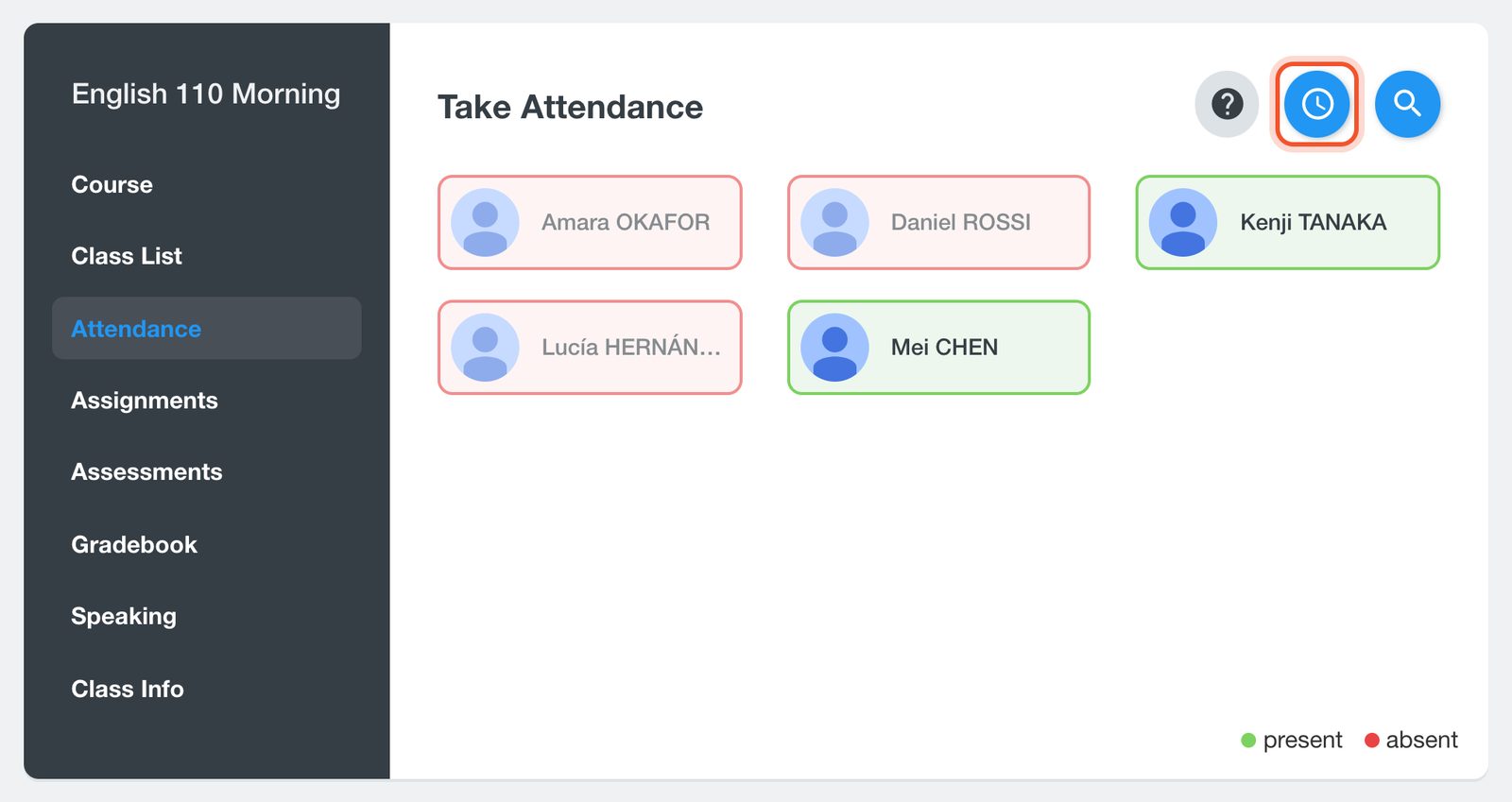
When everyone is marked, click the Take Attendance button (the clock).
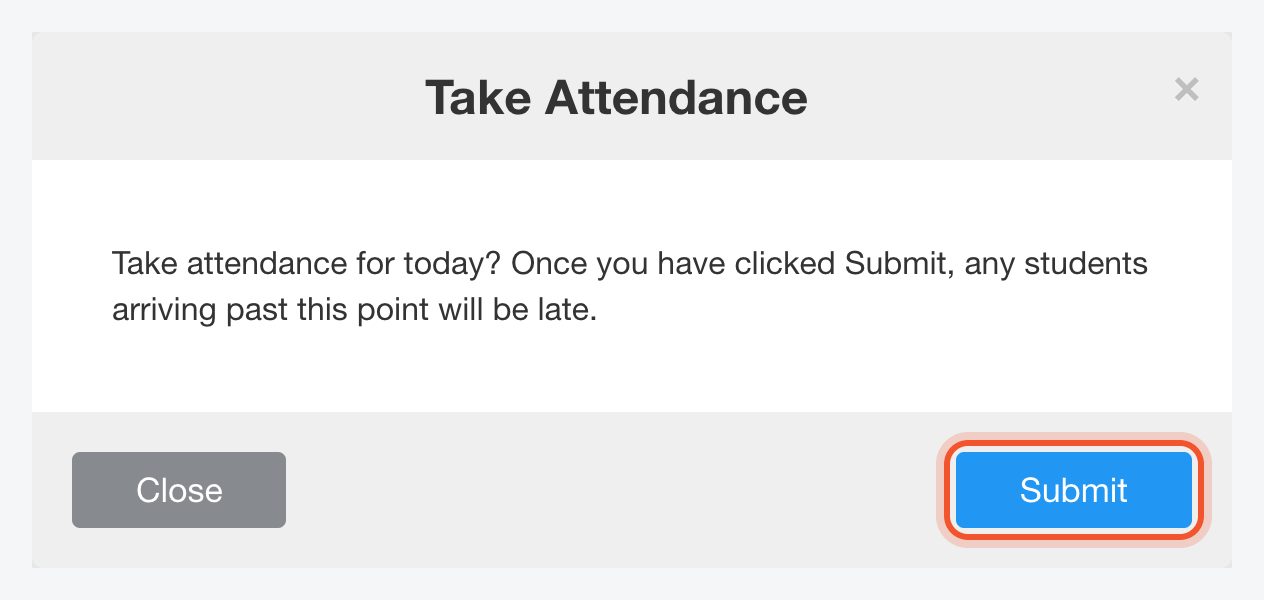
Click Submit. Students who arrive after you submit are recorded as late.
Today's attendance now shows as Complete. To change a student's status, use the menu in the Status column.
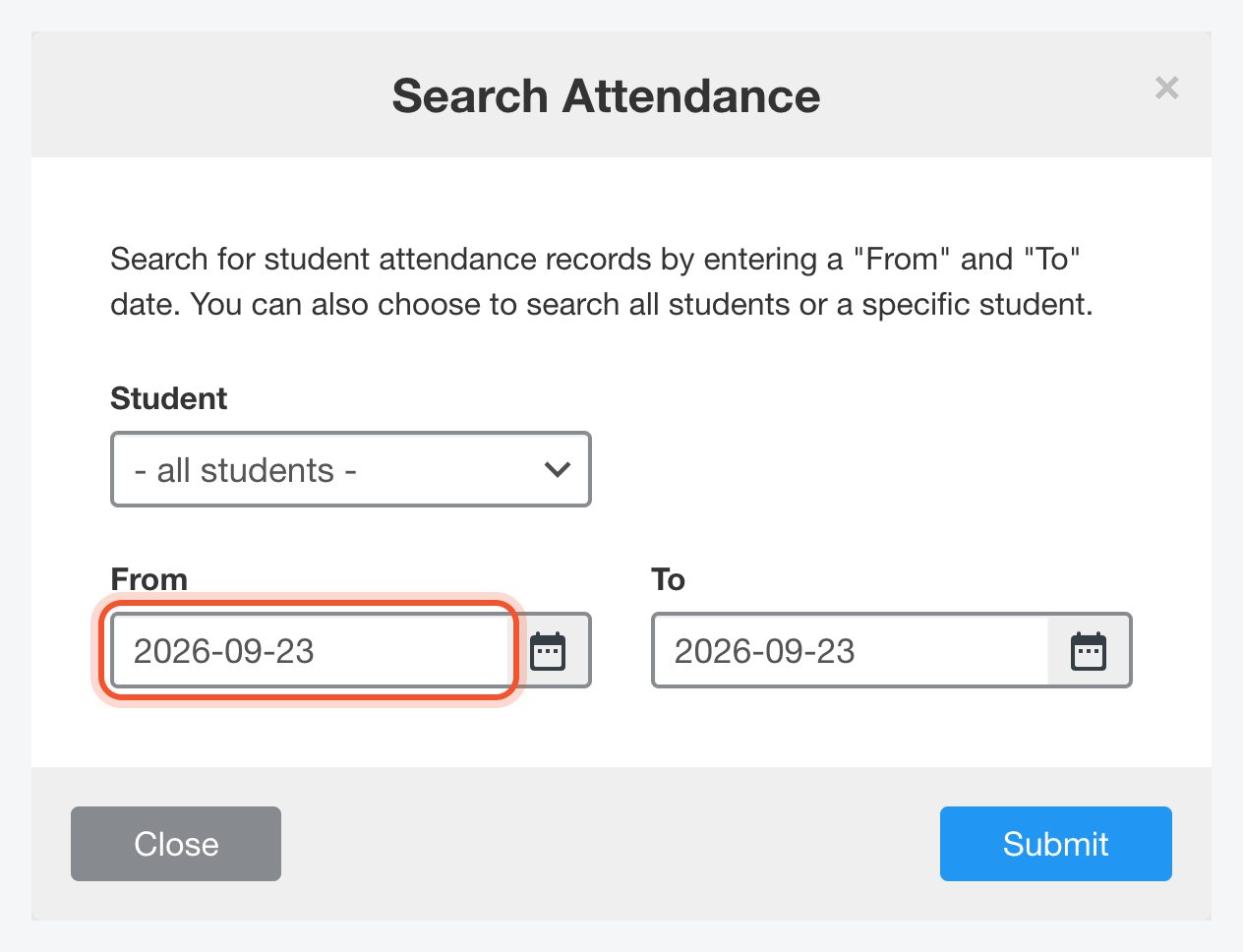
To look up earlier records, click the Search Attendance button (the magnifying glass). Choose a student or all students, pick the From and To dates, and click Submit.