Every grade in one place: recording oral exams, presentations and paper tests

Not all teaching happens on screen. Workbook pages, oral exams, paper tests, presentations and class projects still happen away from the platform, and until now those grades lived in a separate notebook or spreadsheet.
Not anymore. Teachers can now record scores for work done outside Smrt, right alongside platform results, so every grade for a class lives in one place. There is nothing new to learn: it is built into the pages you already use.
Practice or assessment?
Decide what kind of work you are recording, because it goes in a different place:
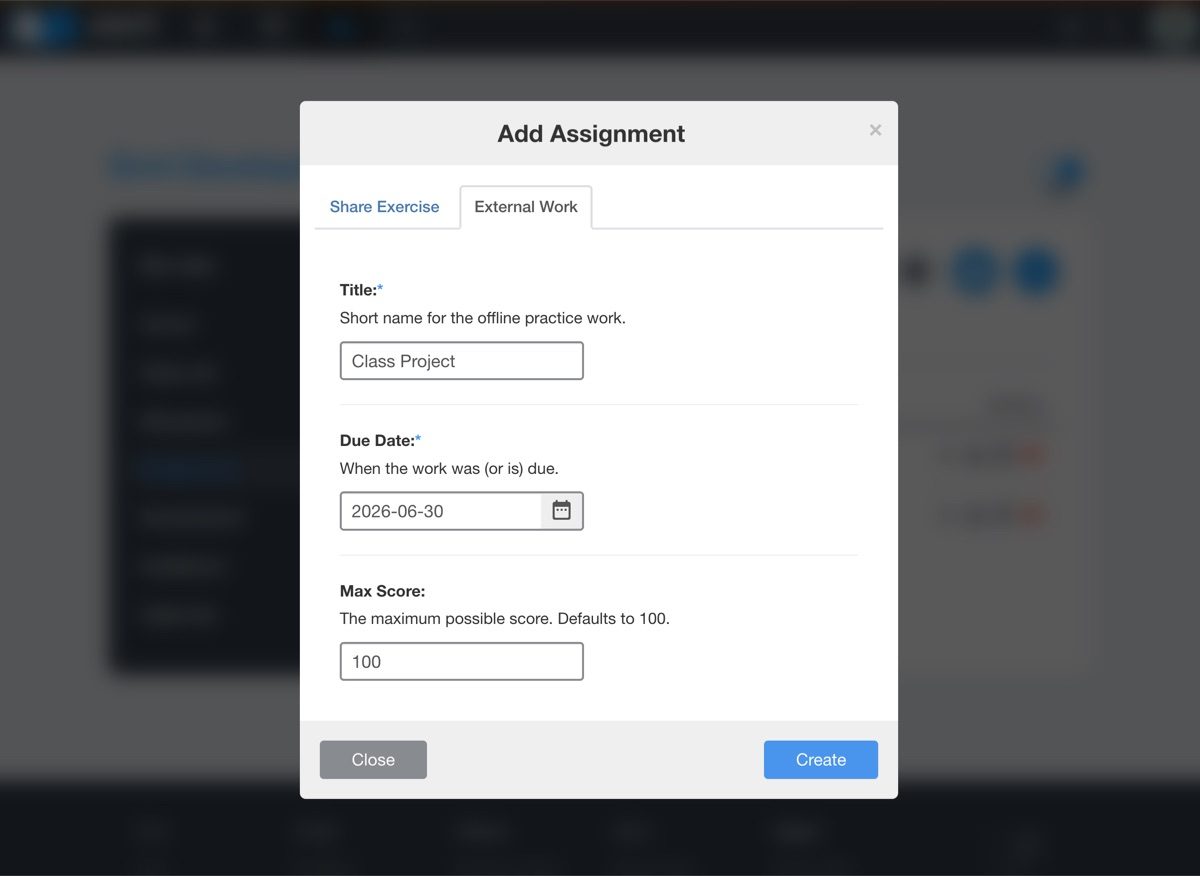
- External Work: for practice such as workbook pages or a class project. On your class's Assignments page, click Add Assignment and open the External Work tab.
- External Assessment: for a test such as an oral exam, a presentation or a paper test. On the Assessments page, click Add Assessment and open the External Assessment tab.
Step by step
- Add the item. Open your class and choose External Work or External Assessment, as above.
- Set it up. Give it a clear title, such as "Unit 3 Oral Exam", a due date and a maximum score. For an assessment, choose quiz or exam. An exam joins each student's official transcript, just like a platform exam.
- Enter the scores. Record each student's score and save. If some students present next week, save what you have and come back later to add the rest or change a mark.
- Check the gradebook. An external assessment appears as its own column and counts toward the Overall Score average.
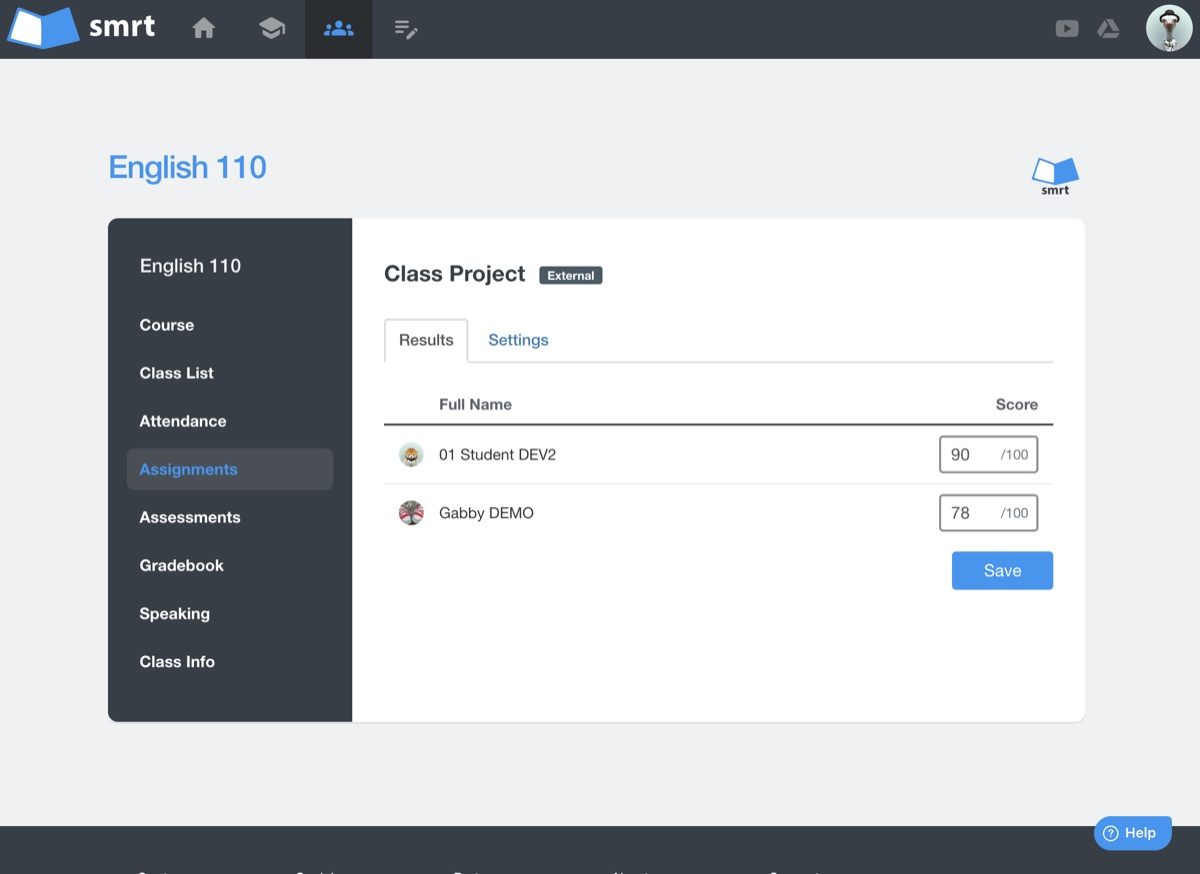
Where the scores show up
- The gradebook: each external assessment gets its own column, rolled into the Overall Score average.
- The student's view: students see it with the rest of their grades.
- Reports: in transcripts, PDF reports and CSV exports.
Coordinators and school leaders see the whole picture of a class, not only the part that happened online.
Tips from the classroom
- Use a rubric: score speaking and presentations against the same criteria each time, and set the maximum score to the rubric total.
- Name items consistently: titles like "Unit 2 Presentation" and "Unit 3 Presentation" keep the gradebook easy to read.
- Record while it is fresh: add scores on the day of an oral exam, while your notes are in front of you.
- Keep exams for exams: only mark an assessment as an exam if it should appear on the official transcript.
Try it with your next paper test. If you would like a hand, the Help Centre and our support team are here for you.