
Assignments, quizzes and grades
Check your grades, progress and attendance
See your scores for each class, your results across courses, and every attendance record, and download them as PDFs.
Each class shows its own scores and attendance. Your Me page brings together your results and attendance from all your classes.
In your class
Click Classes at the top of the page and open your class. Click Assignments to see each assignment with its due date and your Score.
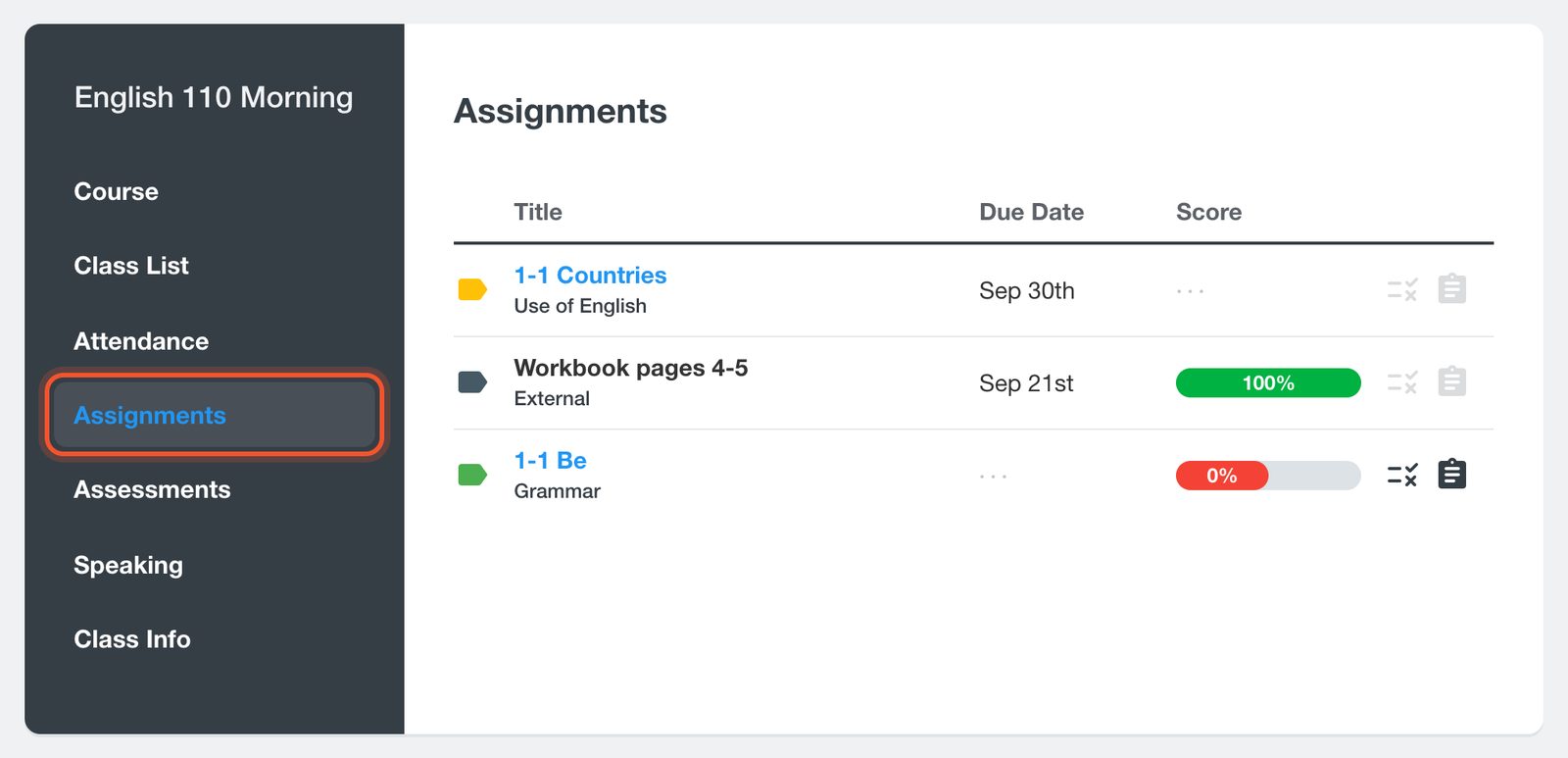
Scores appear once you submit your work. The Score column is hidden on narrow phone screens, so turn your phone sideways or use a computer.
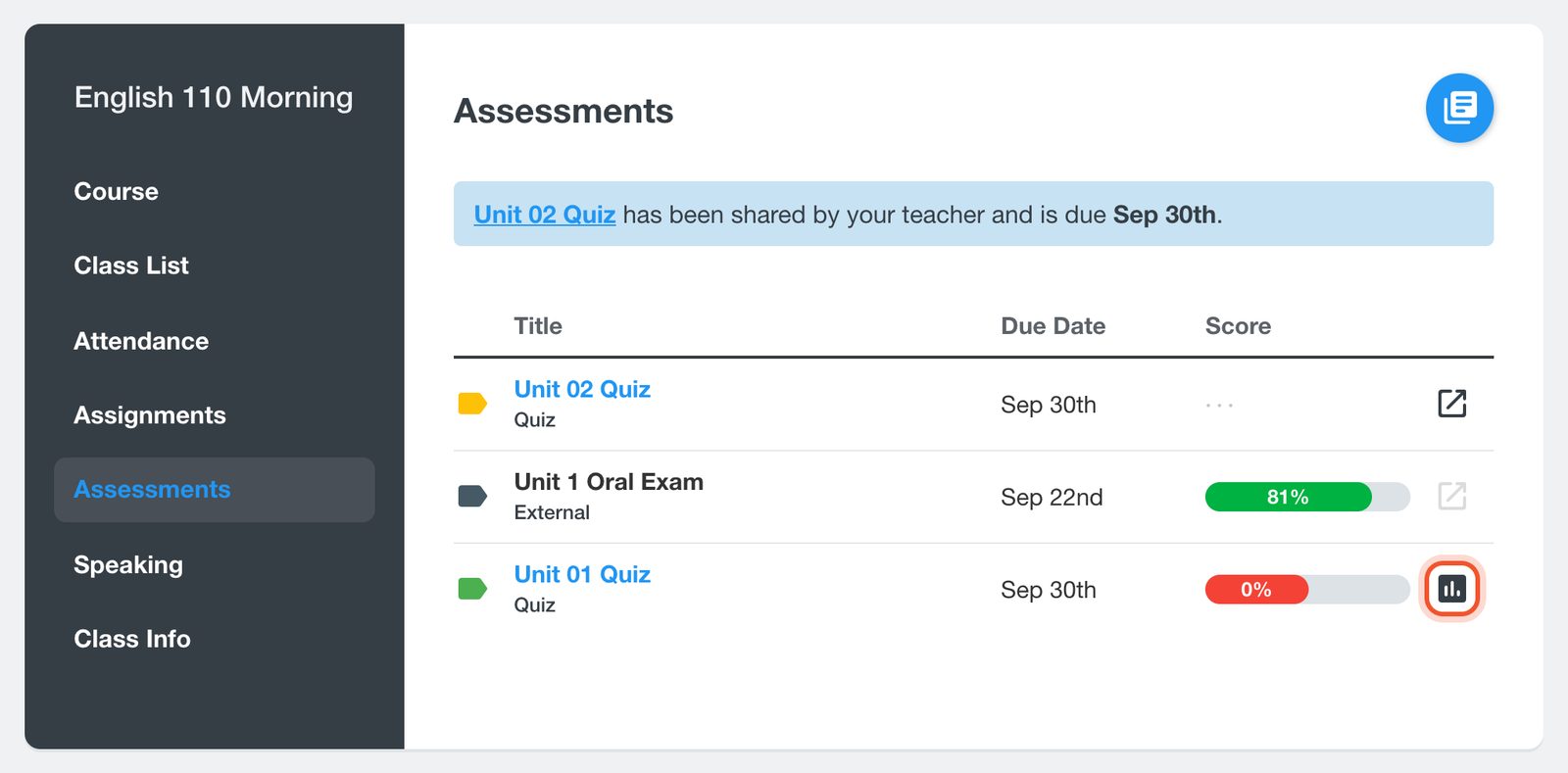
Click Assessments for your quizzes and exams. To see how you did on one, click its Results button.
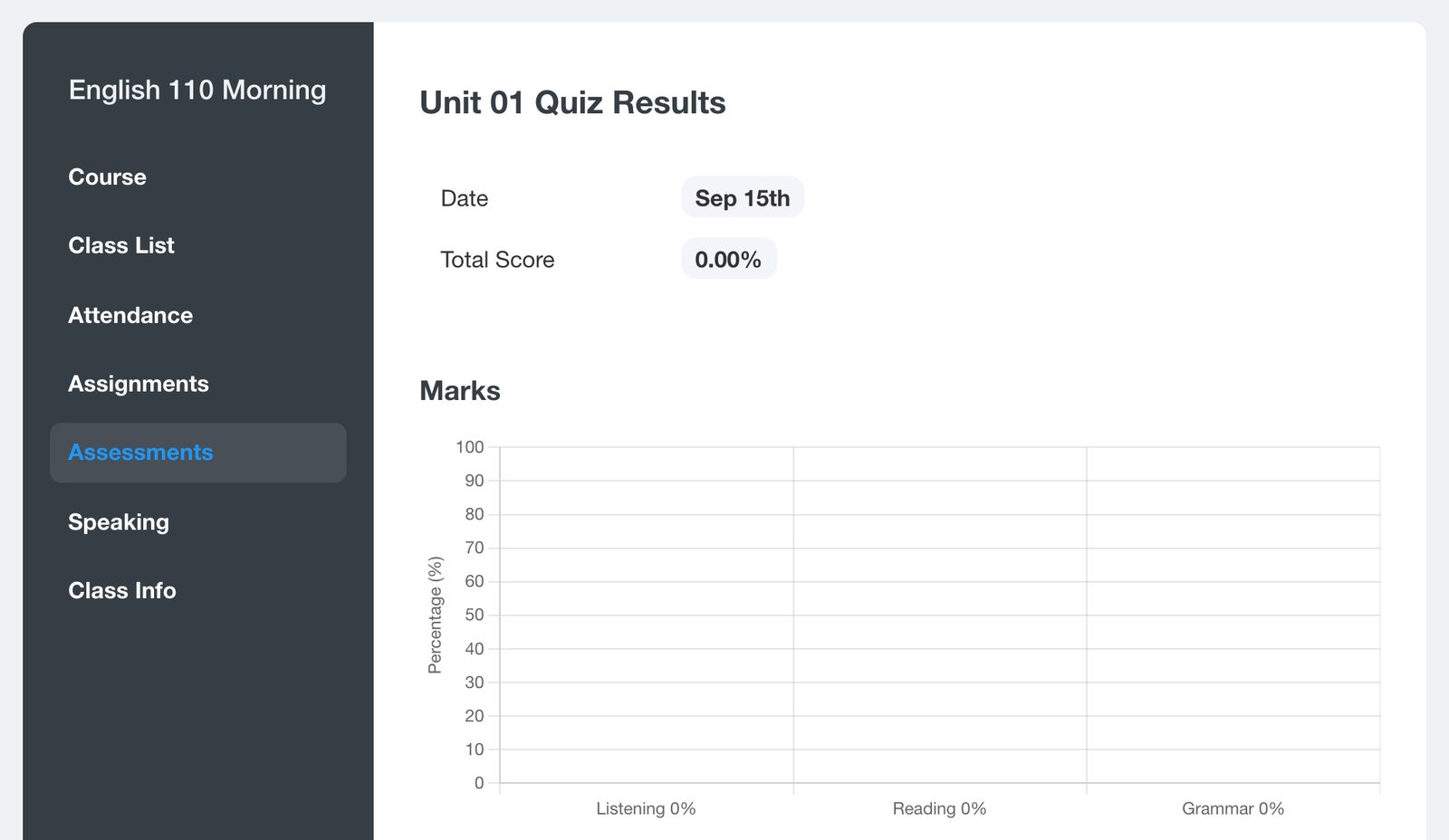
The results page shows your Total Score and your Marks for each section.
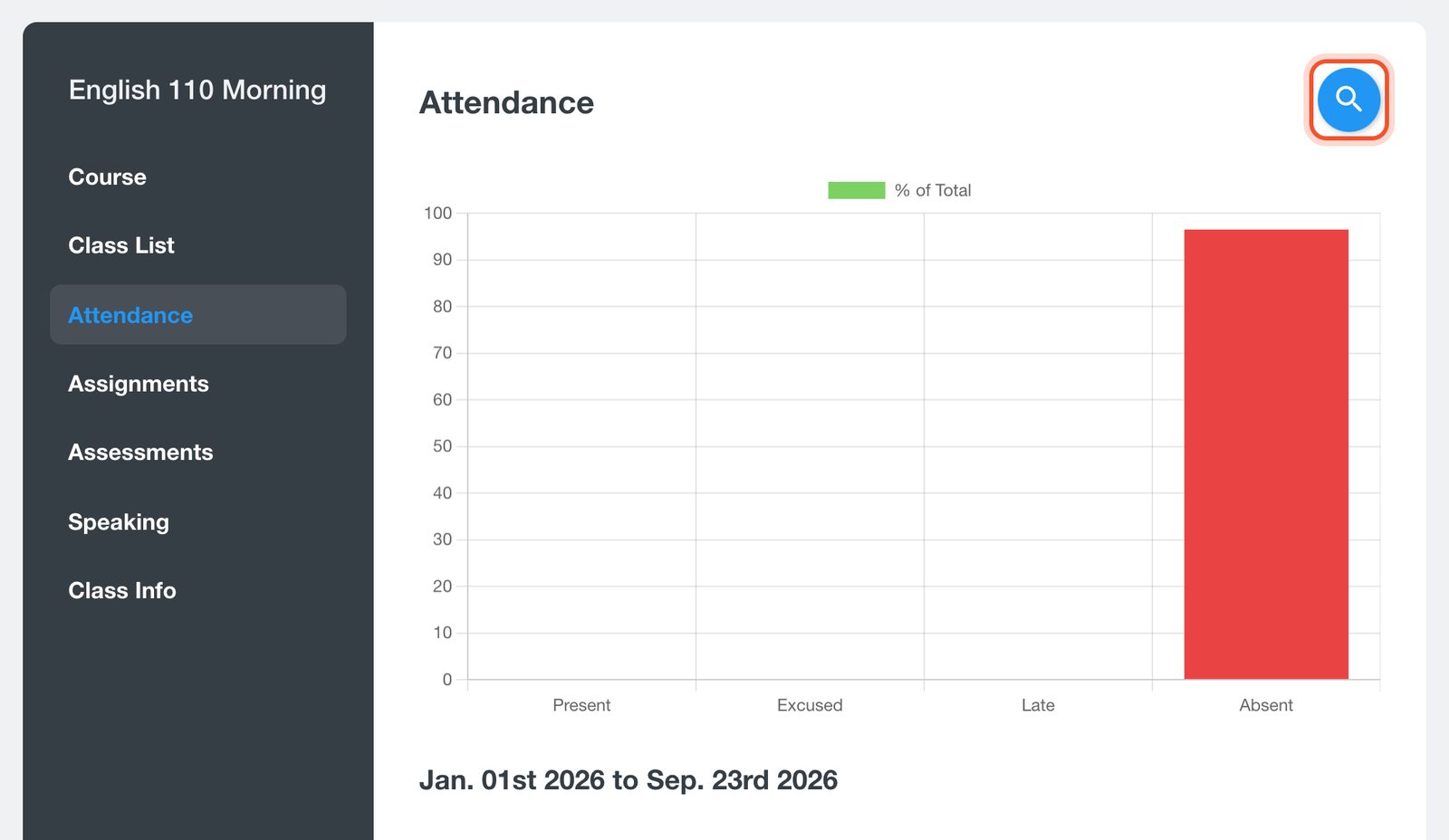
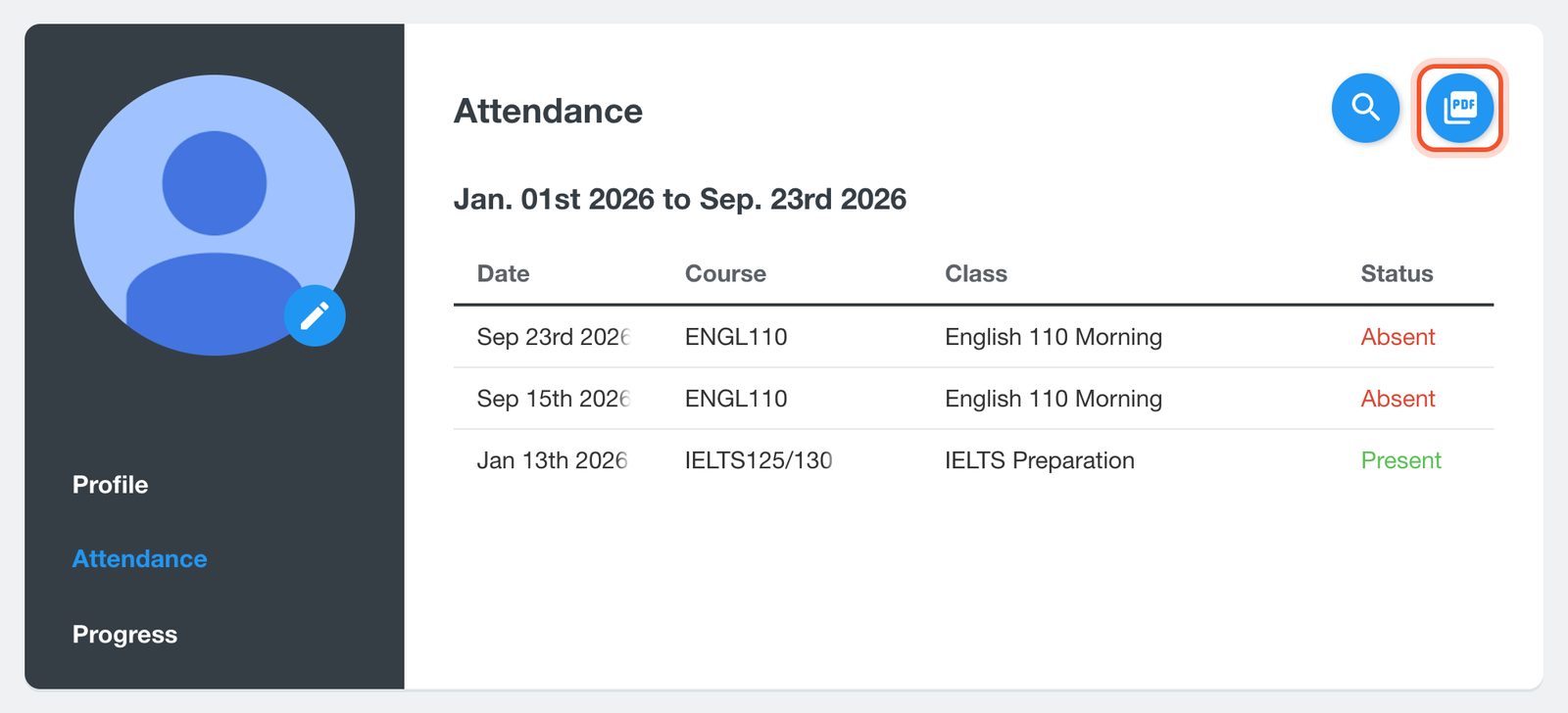
Click Attendance to see whether you were Present, Late, Absent or Excused in each class. The page shows the last week. To see other dates, click the Search Attendance button (the magnifying glass), choose the From and To dates and click Submit.
On your Me page
Click your profile picture at the top right, then Me. Click Progress to see your quizzes and exams for every course, with your scores.
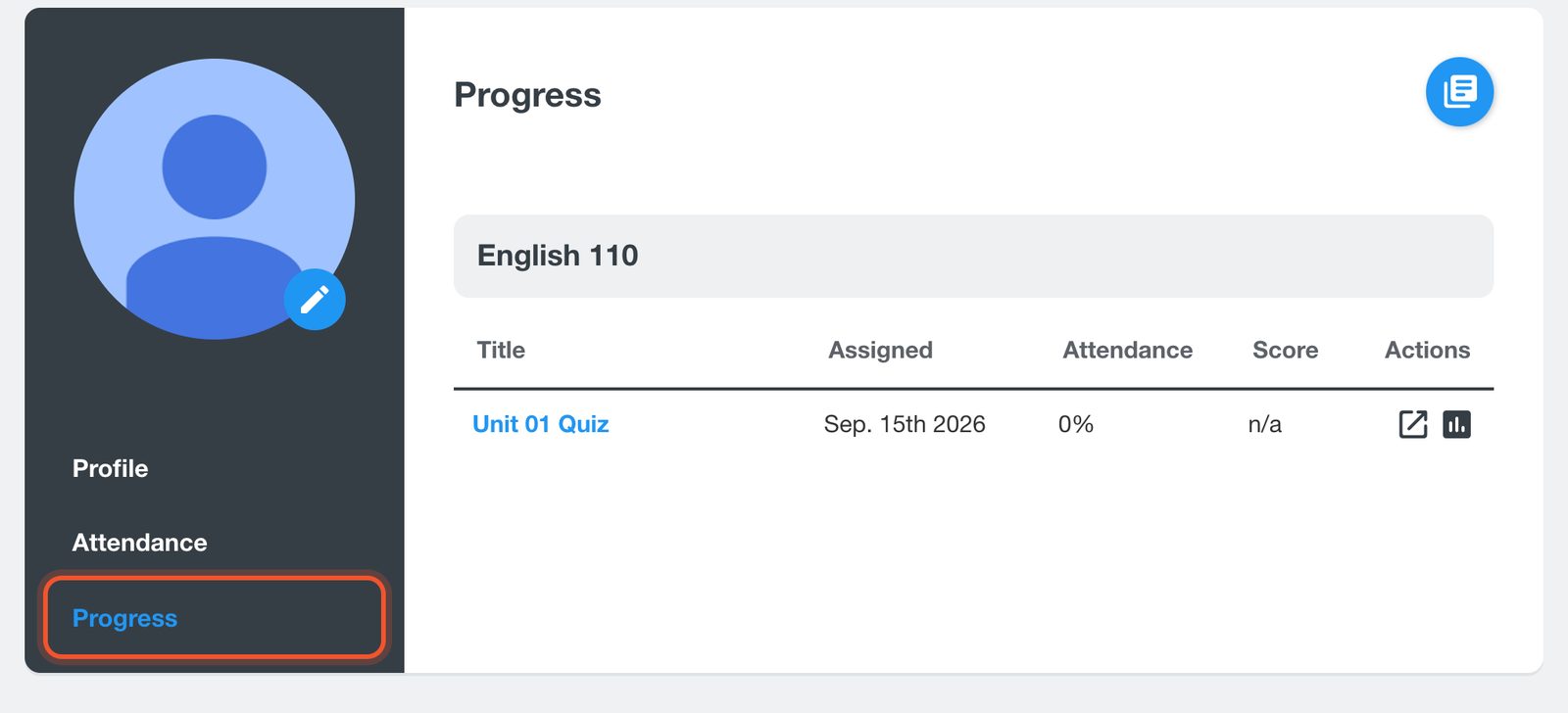
Click the Download Transcript button to save your results as a PDF. If your school has issued you a certificate, a Download Certificate button appears here too.
Click Attendance to see your attendance for all your classes. Use Search Attendance to change the dates, and Download Attendance to save the list as a PDF.
The Progress and Attendance links on your Me page are for larger screens. On a phone, check attendance inside each class instead.
If a score or an attendance record looks wrong, ask your teacher. Only your teacher or school can change it.


