
Assignments, quizzes and grades
Reopen an assignment or quiz for a student
Give a student another chance at work they submitted, or that closed before they finished it.
When you reopen work, it goes back to the student so they can change their answers and submit again. You can reopen it for one student or for everyone who has finished.
Reopen an assignment
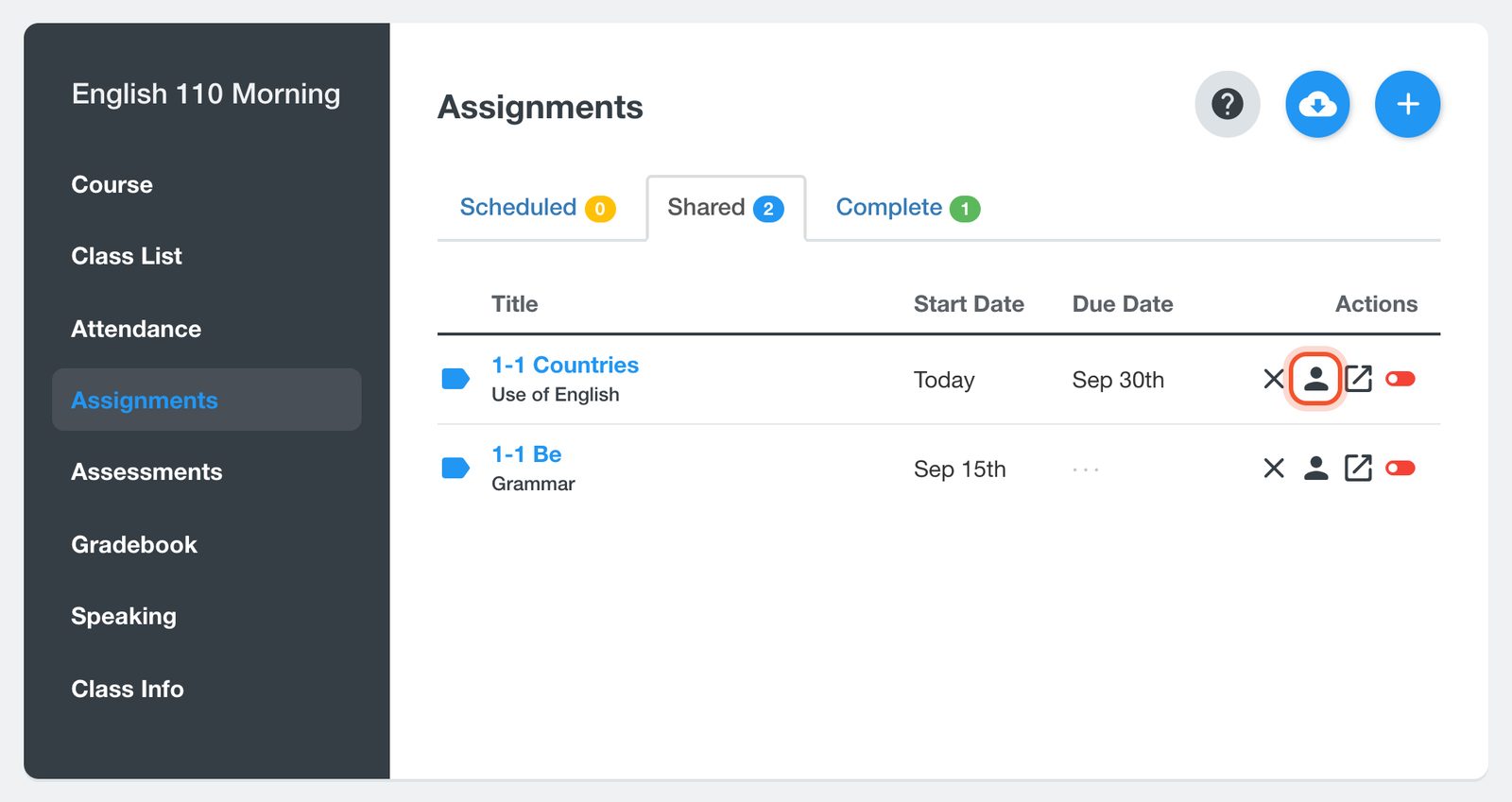
Open your class and click Assignments. On the row of the assignment, click the Student Results button (the person).
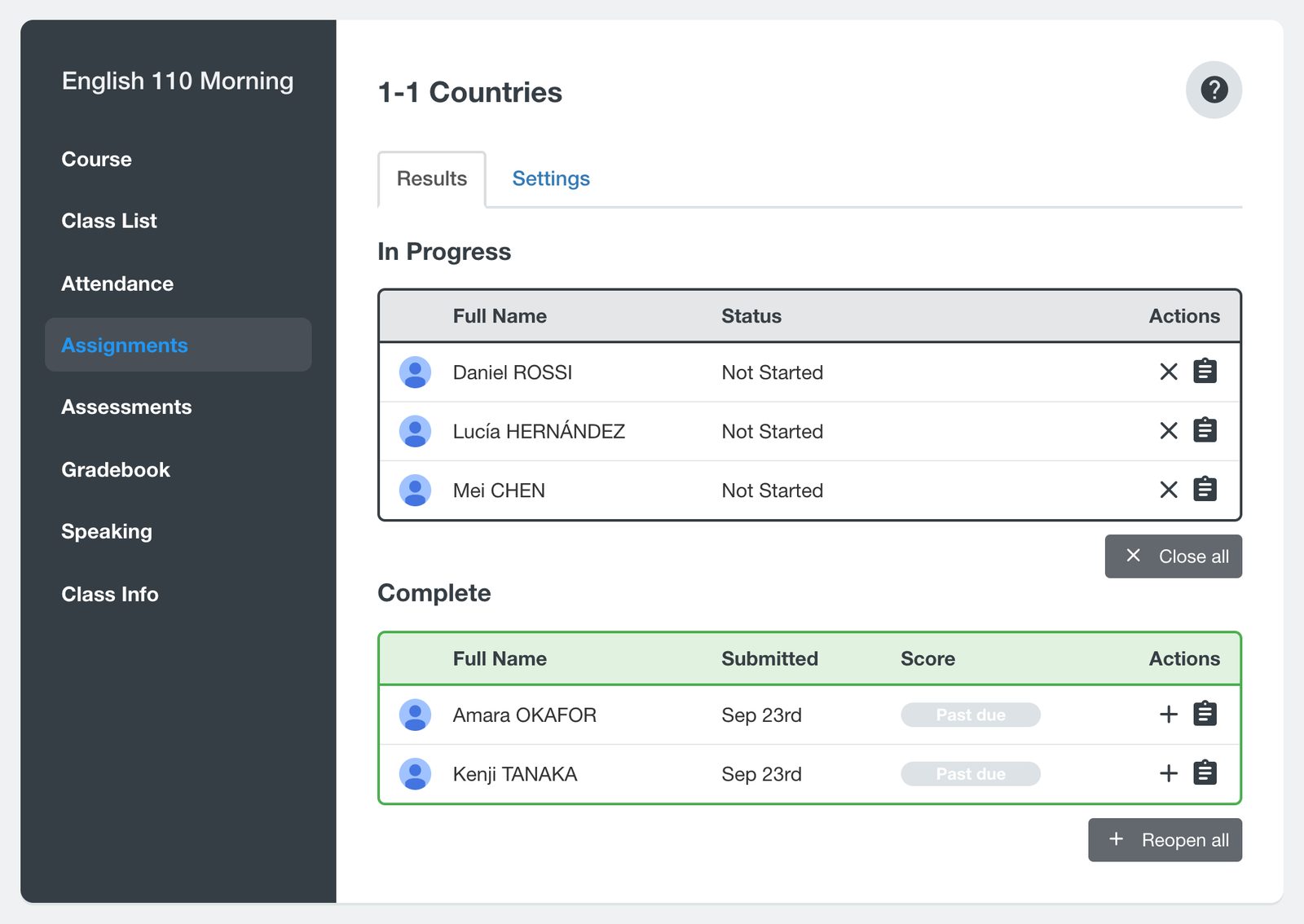
Students who have submitted, or whose work closed on the due date, are listed under Complete. Work that closed before the student submitted it shows Past due in the Score column. Click the Reopen button (the +) on the student's row.
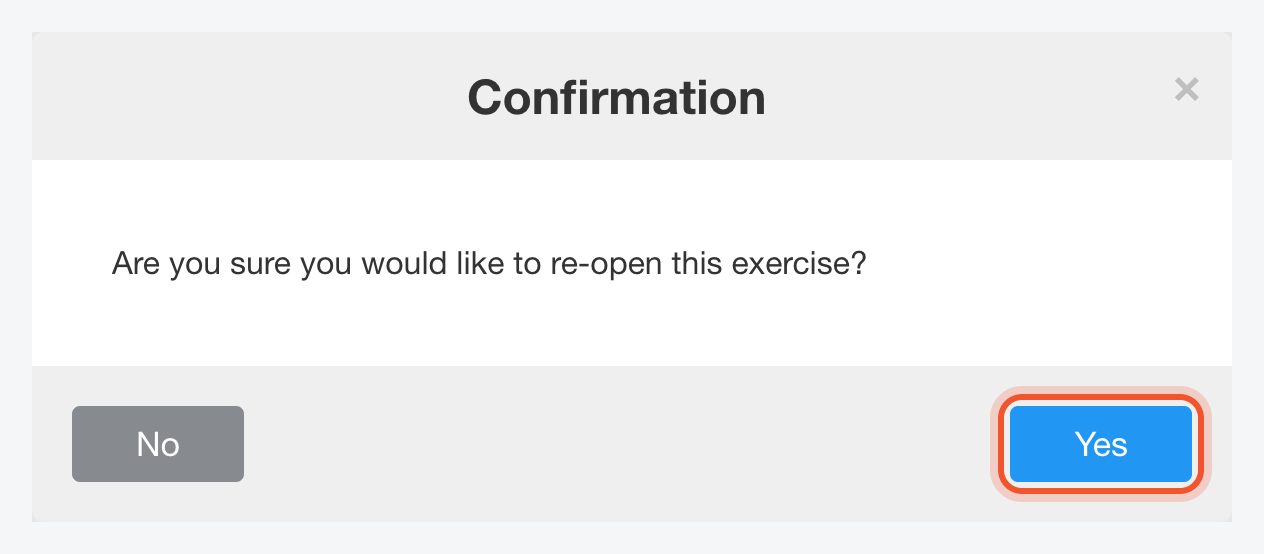
Click Yes. The student moves to In Progress.
To reopen the assignment for every student under Complete, click Reopen all.
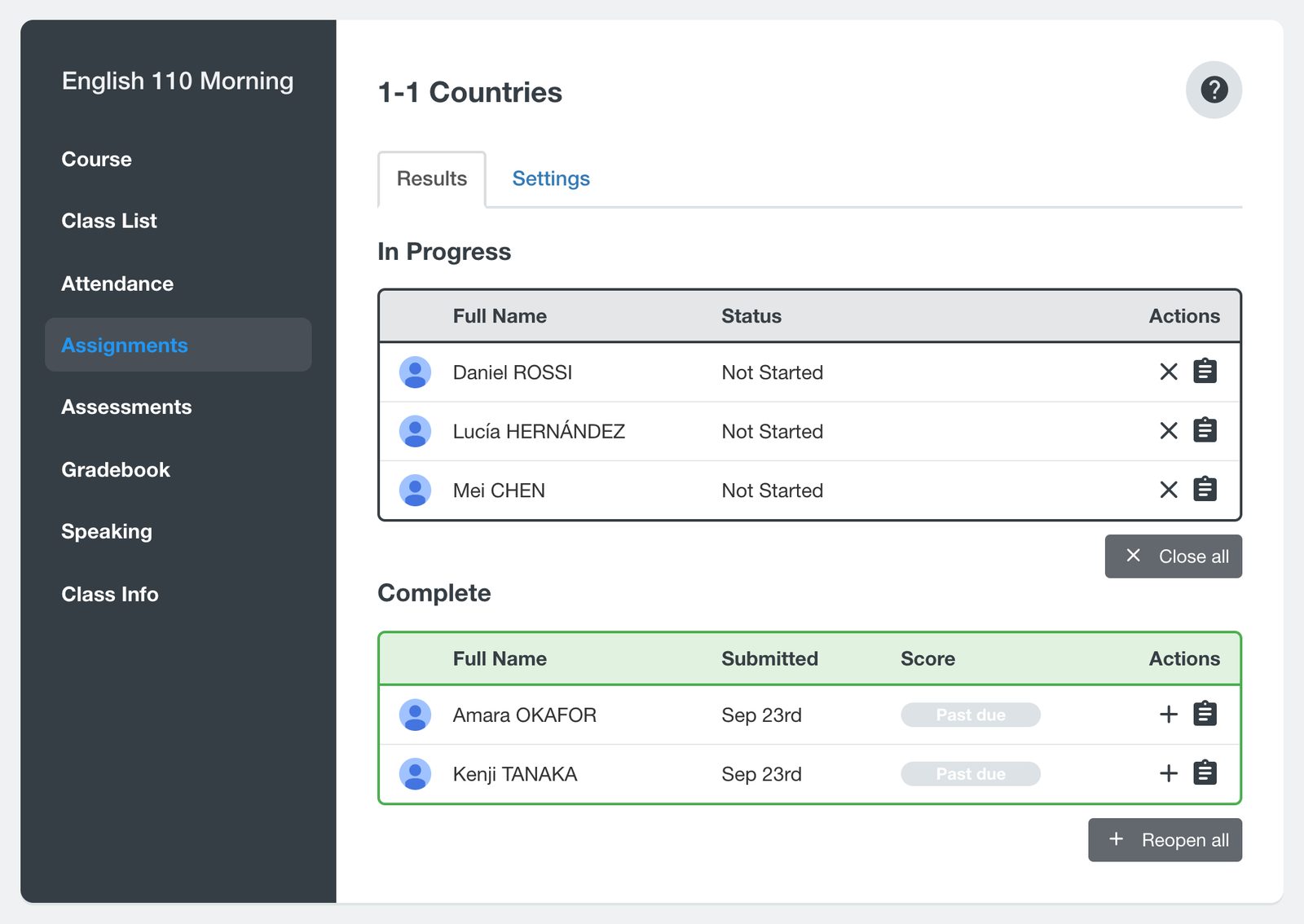
Reopened work does not close on the due date. It stays open until the student submits it or you close it with the Close button (the X) on their row under In Progress.
Reopen a quiz
Open your class, click Assessments, then click the quiz title.
Under Complete, click the Reopen button (the +) on the student's row and click Yes. To reopen the quiz for everyone under Complete, click Reopen all.
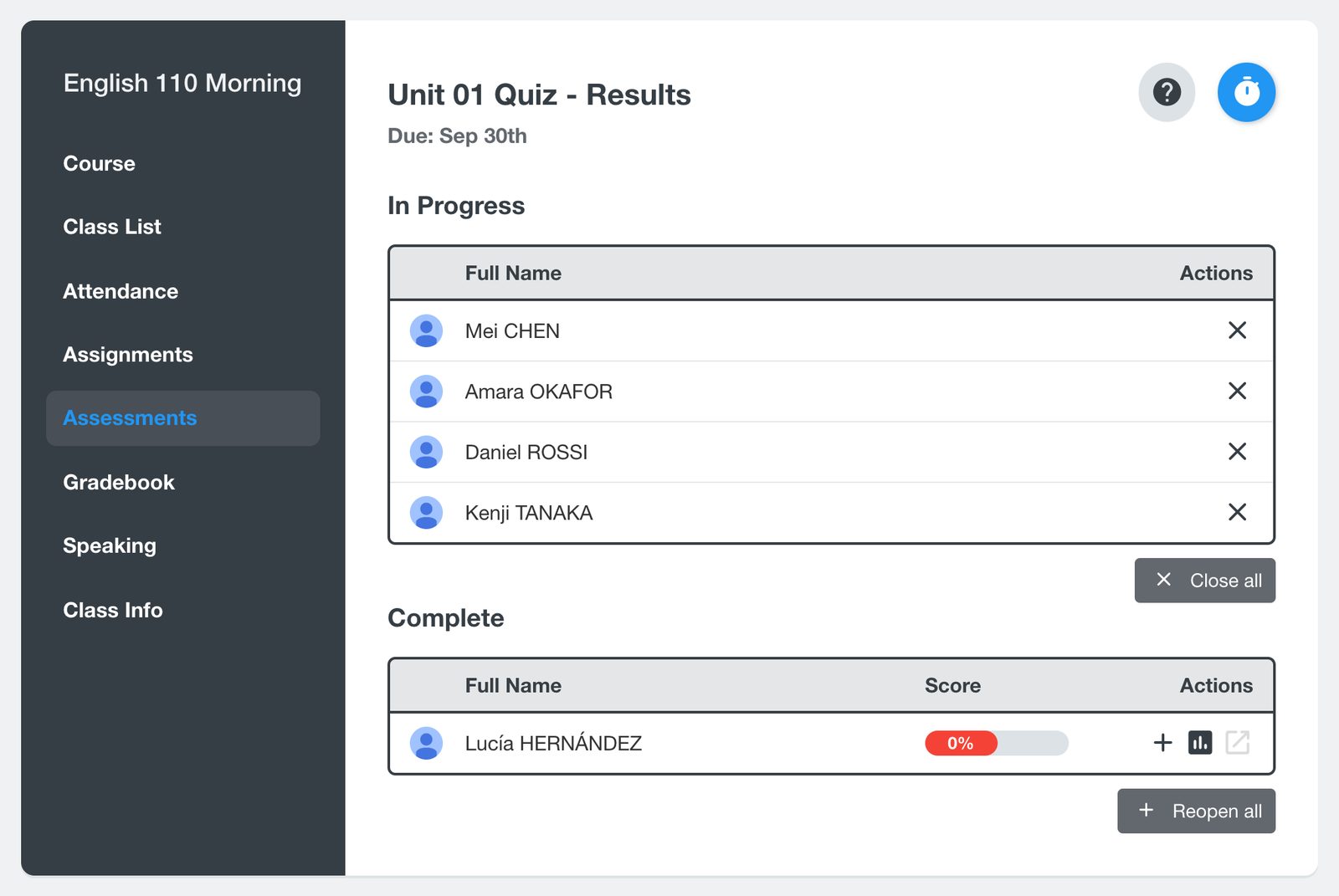
An exam can be reopened while it is waiting under Ready for Evaluation. Once you have evaluated it, it moves to Complete and can no longer be reopened.
You can also reopen a student's assignment from their profile: click their name on the Class List, click Assignments, then click the + on the assignment's row.
You cannot share the same exercise with a class twice within 30 days. To give students another try in that time, reopen the assignment instead.


