
School administration
Delete a student's assignment result
Remove one student's result for an assignment from the Dashboard.
School administrators can delete a student's result for an assignment. Teachers cannot delete results, but they can reopen an assignment so the student can try again.
Open the Dashboard, click Students, open the student, then click Assignments.
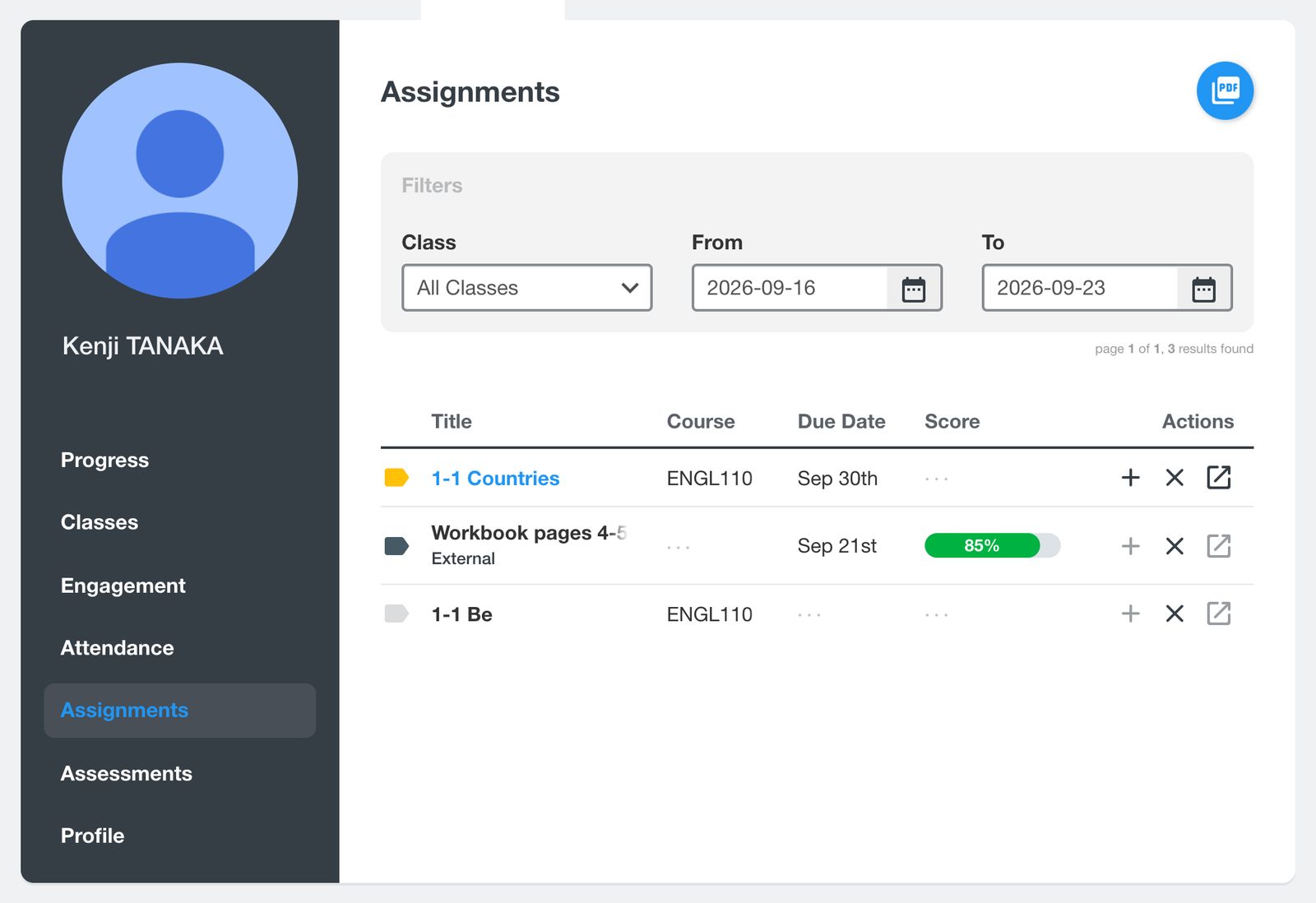
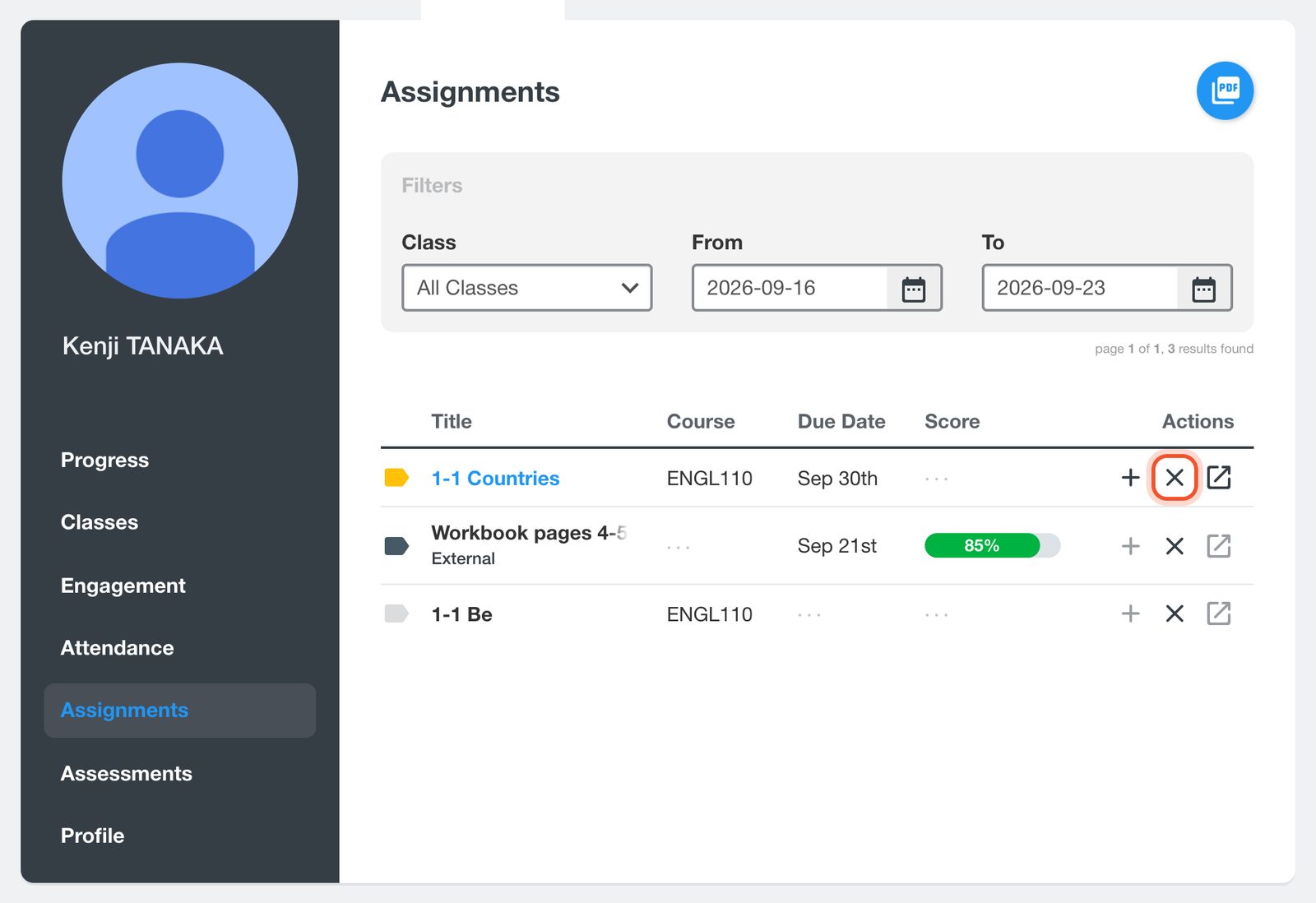
Use the Class, From and To filters to find the assignment, then click the X on its row.
Click Yes.
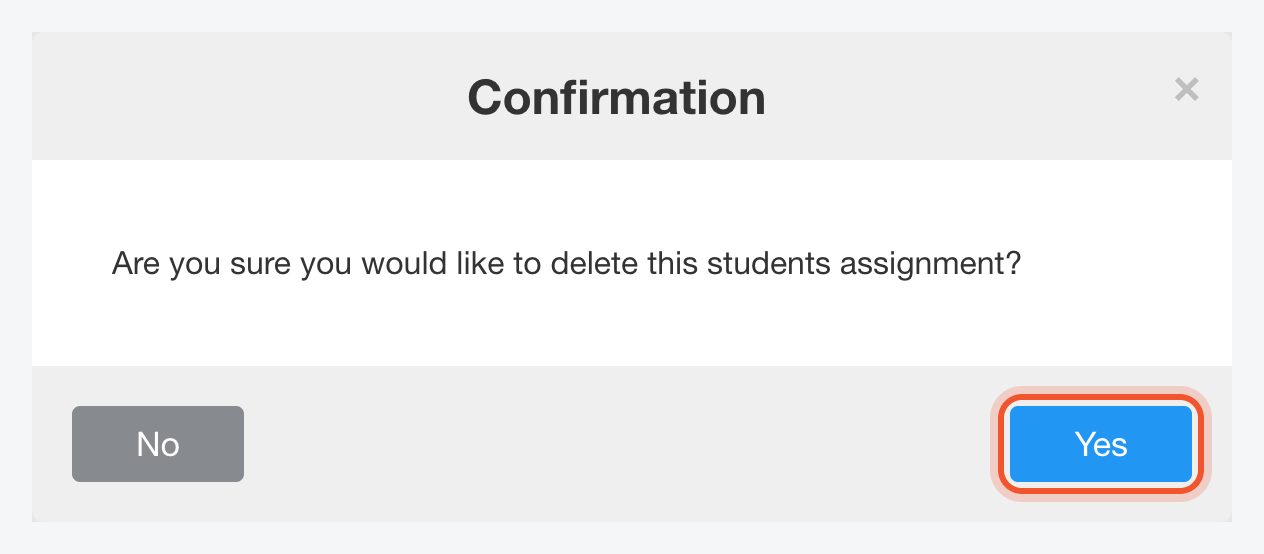
Deleting a result cannot be undone. The student then shows under Not Shared on the assignment's results, where their teacher can share it with them again as new work.
To give the student another try without losing their work, click the + on a completed assignment's row to reopen it instead.


